AENO™ Toothbrush Operation Manual
Document version: 1.0.0, aeno.com © ASBISC Enterprises PLC. All rights reserved
Page 14 of 42
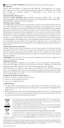
Table 2 – Description of Operating Modes of the Device
Delicate, gentle brushing of the teeth. Recommended for
brushing sensitive teeth, as well as for brushing children's teeth
Daily brushing. Recommended for standard brushing
Teeth whitening. Recommended for people who smoke and
drink tea or coffee often
Table 3 – Statuses of the Battery Charge Indicator
The device is turned on. Battery level is
medium/high
The device is connected to a power supply. Battery
is fully charged
The device is connected to a power supply.
Charging is in progress
The device is turned on. Battery level is low
The device battery is fully discharged
The device is not connected to a power supply or is
turned off



 To Next Page