EasyManua.ls Logo

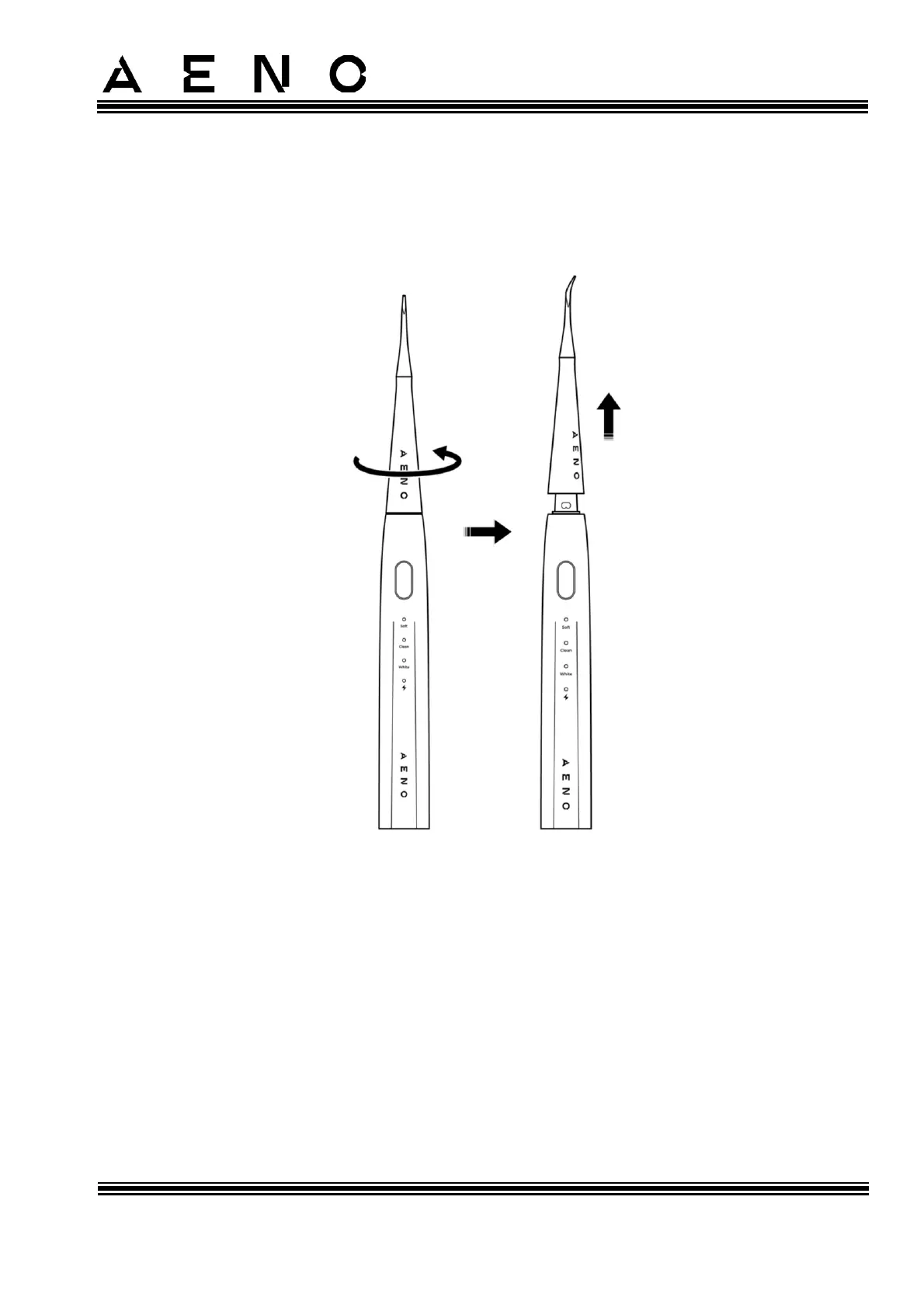
AENO DB7 - Removing the Plaque Remover (for ADB0008 Model Only); Figure 14 - Removing the Plaque Remover

AENO DB7
42 pages
Print Icon
To Next Page IconTo Next Page
To Previous Page IconTo Previous Page
Loading...
AENOToothbrush Operation Manual
© ASBISC Enterprises PLC. All rights reserved Document version: 1.0.0, aeno.com
Page 29 of 42
2.3.2 Removing the Plaque Remover (for ADB0008 Model Only)
To remove the plaque remover, do the following (see Figure below):
1. Turn the remover counterclockwise without using excessive force.
2. Pull the remover upwards to remove it from the device handle.
Figure 14 Removing the Plaque Remover

Table of Contents

Other manuals for AENO DB7

Related product manuals