Page 28 of 42
2.3 Completion of Operation
After turning the device off, clean the toothbrush handle and accessories as described
in subsections 3.1–3.4.
If several family members use the same toothbrush, it is recommended to store the
replacement brush head separately from the device handle after each use. The brush
heads should be stored away from direct sunlight and places with high temperature.
The information on how to remove the brush heads and the plaque remover is provided
below.
2.3.1 Removing the Brush Head
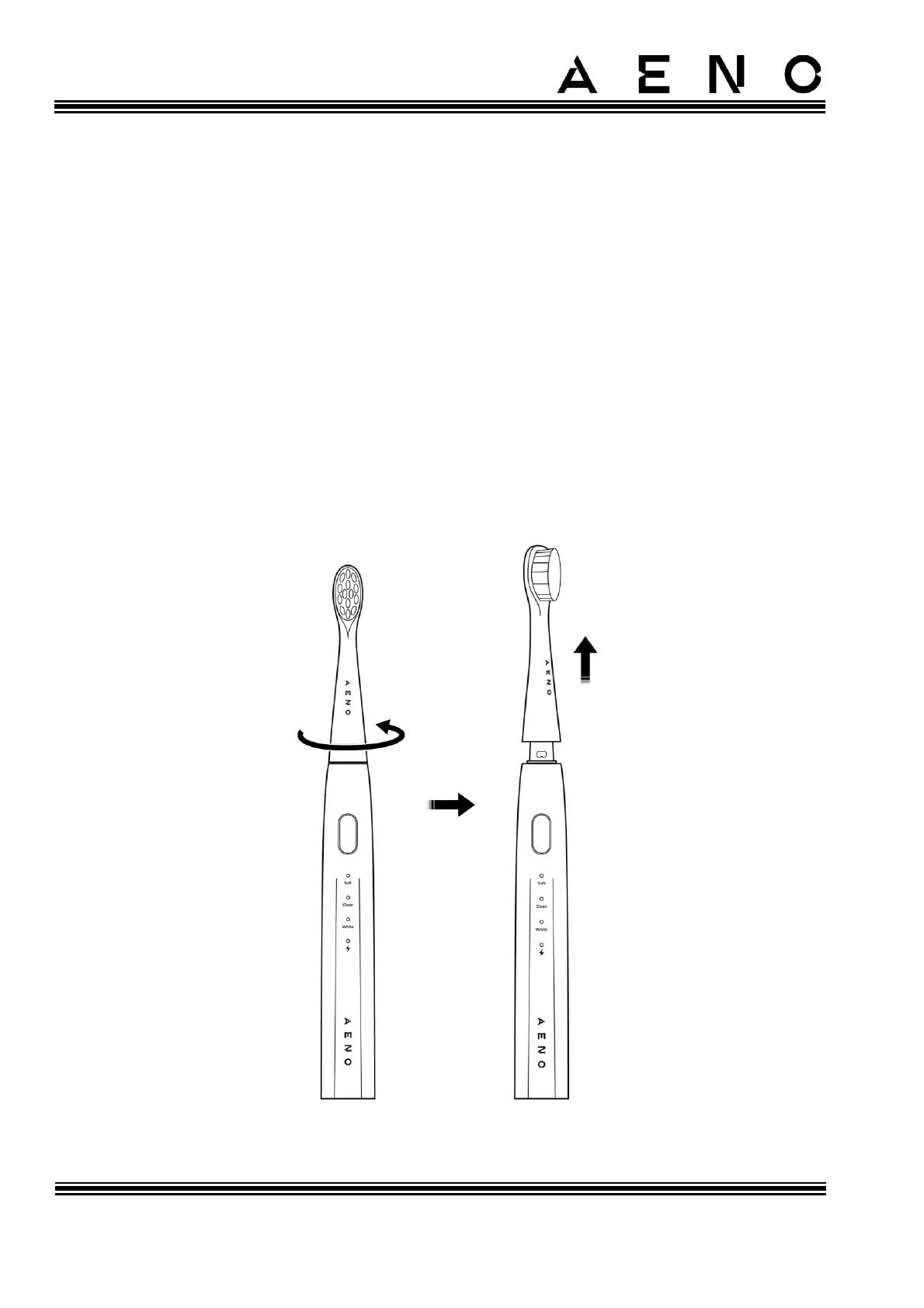
To remove the brush head, do the following (see Figure below):
1. Turn the brush head counterclockwise without using excessive force.
2. Pull the brush head upwards to remove it from the device handle.
Figure 13 – Removing the Brush Head



 To Next Page