AENO™ Toothbrush Operation Manual
© ASBISC Enterprises PLC. All rights reserved Document version: 1.0.0, aeno.com
Page 23 of 42
2.2.2 Using the Replacement Brush Head
NOTE
You should rinse the bristles of the brush head under warm running water before
the first use in order to remove any residue of production materials.
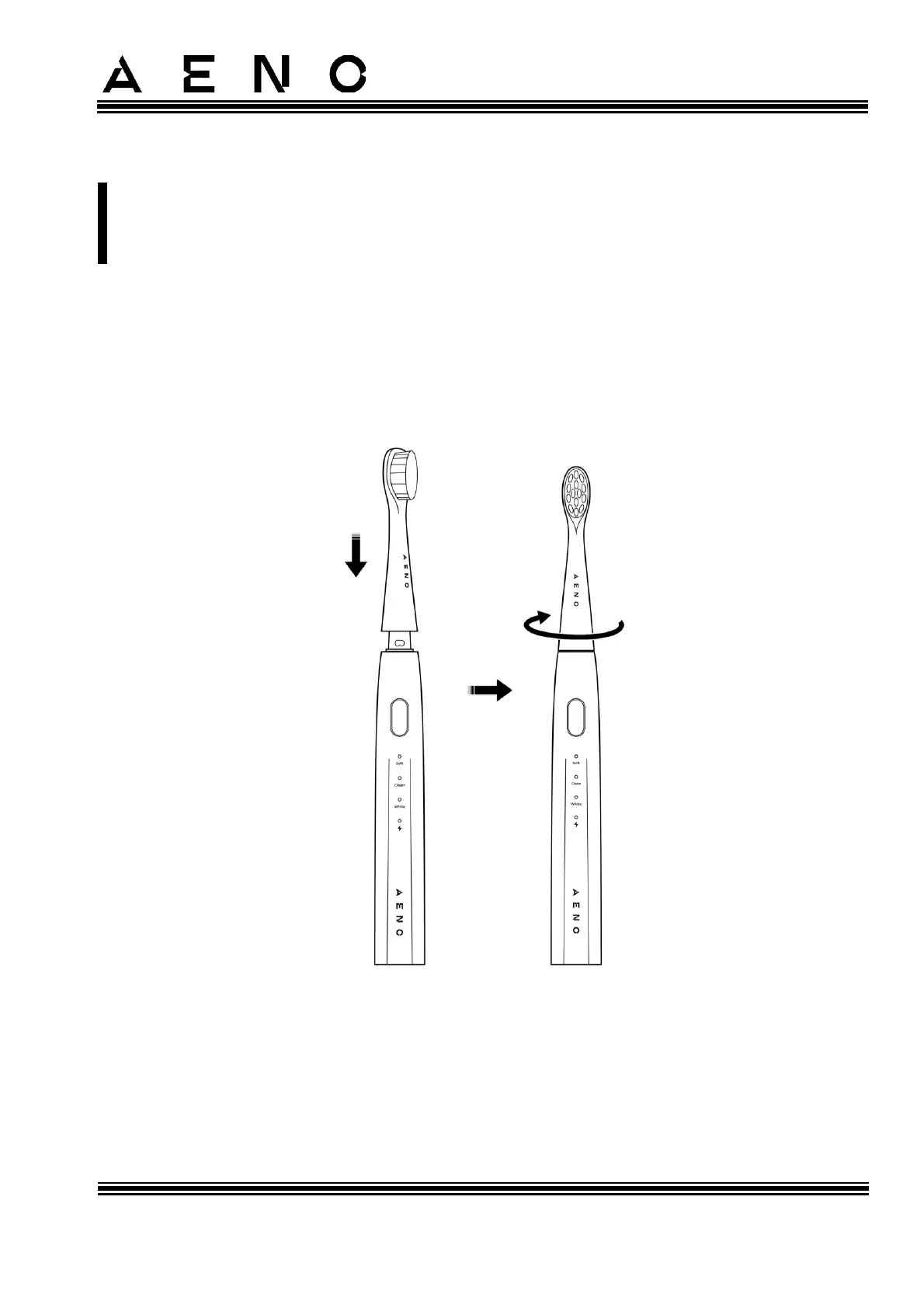
1. Place the brush head on the toothbrush handle so that they fit tightly. The
bristles of the brush head should be pointed in the direction shown in
Figure 7-a.
2. Turn the brush head clockwise (see Figure 7-b). When properly installed, the tab
on the toothbrush handle will slide into the groove on the brush head and you
will hear a click (see Figure 8).
Figure 7 – Installing the Replacement Brush Head (Front View)



 To Next Page