6
OFL280 Hardware Features
Front Panel (Keys and Display)
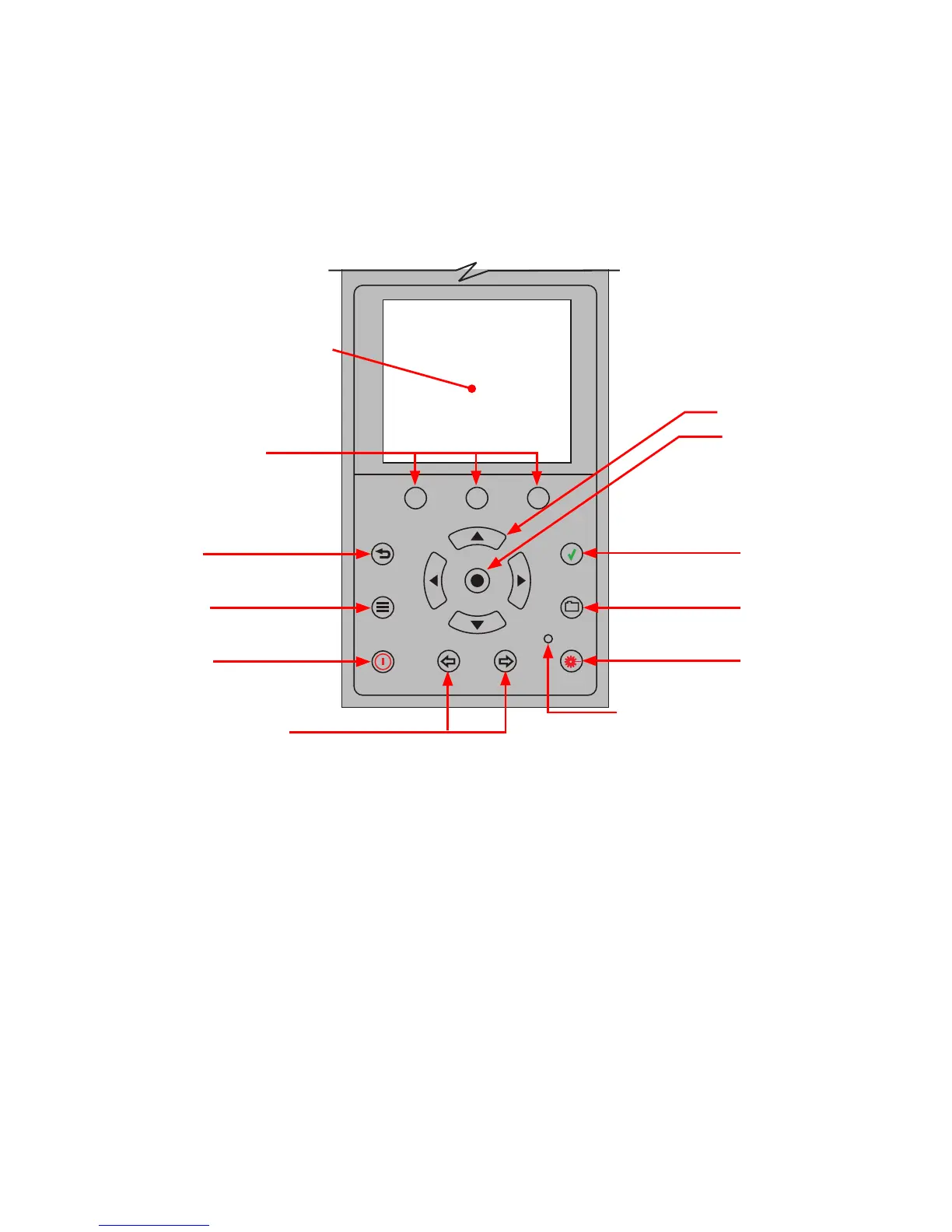
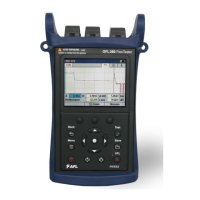
The OFL280 front panel contains keys, indicator, and a display. The use of the [Power], [Menu], [Test],
[Back], [Save], and [VFL] keys are xed. The use of the soft function keys and arrow keys depends on
which menu or editor submenu is displayed.
Function of each key is explained in the section titled ‘Using OFL280 Keys’.
Soft function keys
Back key
Menu key
Display - Used to show the
setup menus, test results,
and saved les information
Power key
Arrow keys
Select key
Test key
Save key
VFL Indicator - Illuminates
when the VFL port is active
VFL key
Left & Right Tab keys


 To Next Page