20 3200P pH Meter User Guide
2Operation
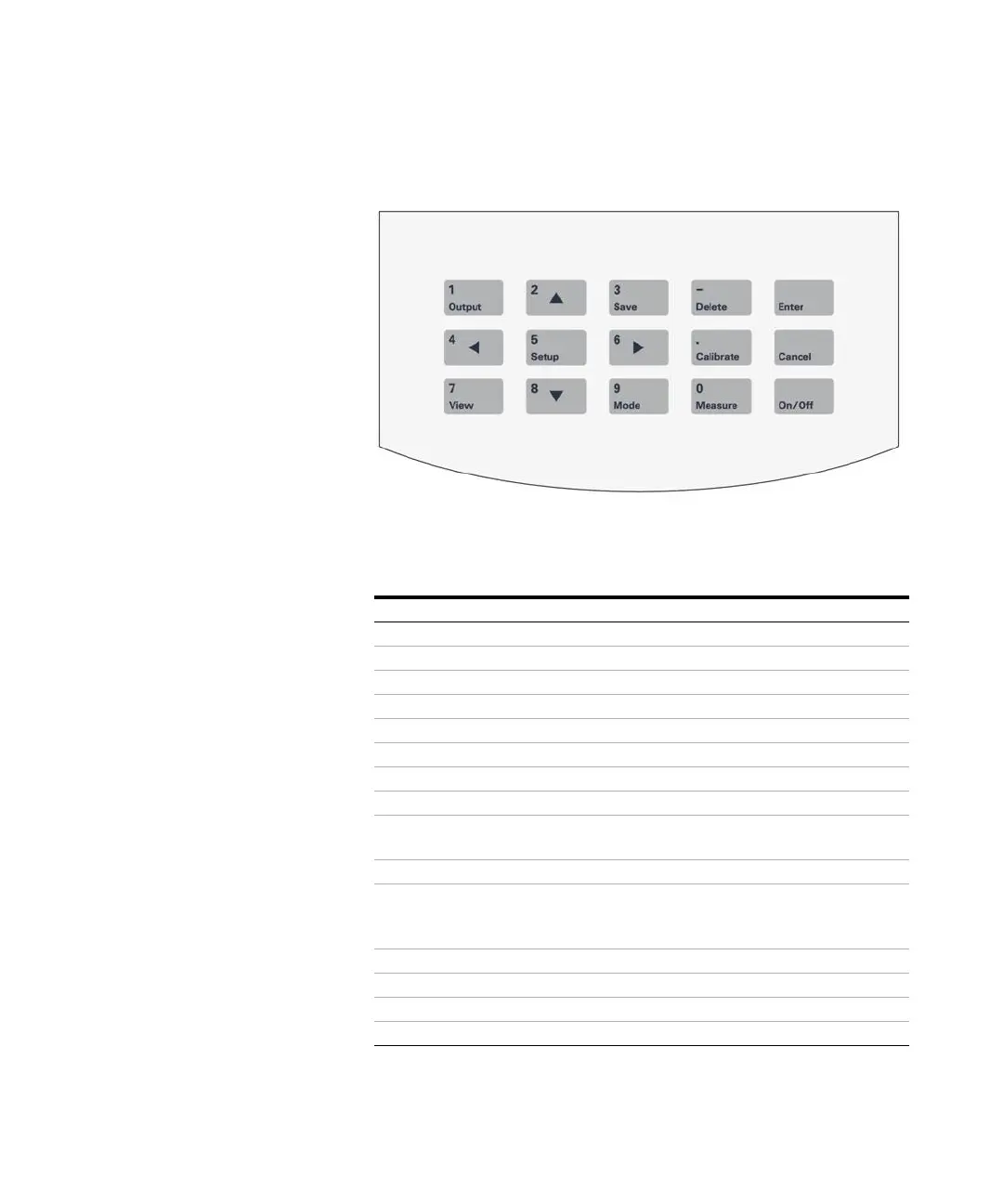
Figure 8 Operating keys
Table 1 Key values
Key symbol Numeric entry Function
1/Output 1 Output presently displayed data
2/
2 Move up or select mode
3/Save 3 Store measuring data
4/
4Move left
5/Setup 5 Set different function
6/
6Move right
7/View 7 View stored or calibrated data
8/
8 Move down or select mode
9/Mode 9 Switch display window or parameter
in measuring state
0/Measure 0 Begin measurement in initial state
–/Delete – (negative number) Delete function
Can delete saved data when you
view them.
./Calibrate . (decimal point) Calibrate electrode
Enter Enter
Cancel Cancel
On/Off Turn meter on or off








 To Next Page