EasyManua.ls Logo

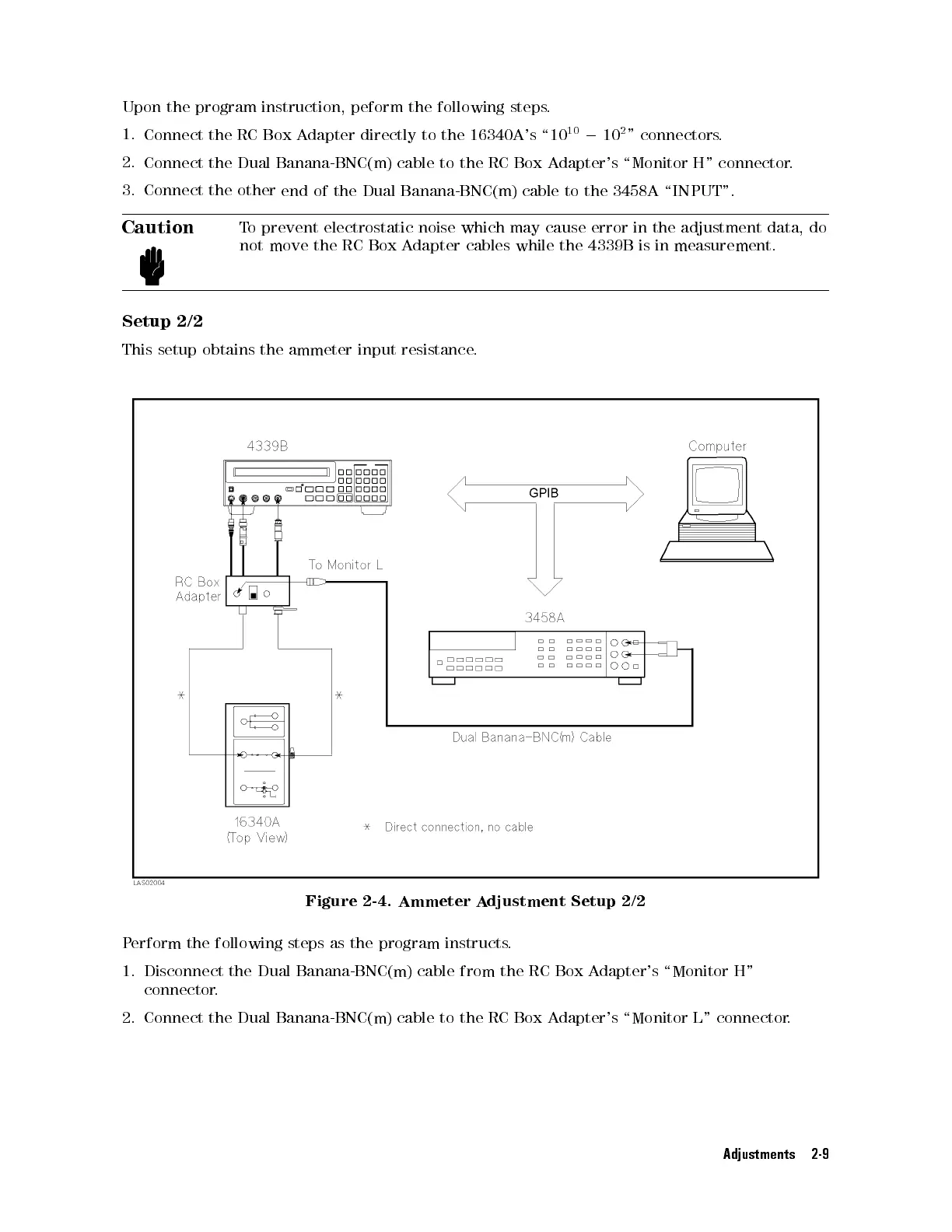
Agilent Technologies 4339B - Setup 2;2; Ammeter Adjustment Setup

Agilent Technologies 4339B
66 pages
Print Icon
To Next Page IconTo Next Page
To Previous Page IconTo Previous Page
Loading...
Upon
the program
instruction, peform
the following
steps
.
1.
Connect the
RC
Box
A
dapter
directly
to
the
16340A's
\10
10
0
10
2
"
connectors.
2.
Connect the
Dual
Banana-BNC(m)
cable
to
the
RC
Box
A
dapter's
\Monitor
H"
connector
.
3.
Connect the
other
end
of
the
Dual
Banana-BNC(m)
cable
to
the
3458A
\INPUT".
Caution
T
o
prevent
electrostatic
noise
which
may
cause
error
in
the adjustment
data, do
not
move
the
RC
Box
A
dapter
cables
while the
4339B is
in measurement.
Setup
2/2
This
setup
obtains
the ammeter
input resistance
.
Figure 2-4. Ammeter A
djustment Setup 2/2
Perform the following steps as the
program instructs
.
1. Disconnect the Dual Banana-BNC(m) cable from the
RC Box A
dapter's \Monitor H"
connector.
2. Connect the Dual Banana-BNC(m) cable to the RC Box Adapter's \Monitor L" connector.
Adjustments 2-9

Table of Contents

Other manuals for Agilent Technologies 4339B

Related product manuals