7
Calibrating Empty Weights
1. Remove the heavy bin from the forks and replace with the
empty bin.
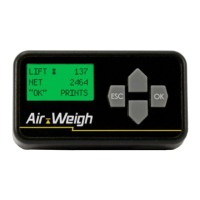
2. Follow the instructions below on the display:
• From the weight display, press ESC to reach the main
menu.
• Press▼untilSETUPisashing.PressOK.
• Press▼untilCALIBRATIONisashing.PressOK.
• Press▼untilEMPTYWEIGHTisashing.PressOK.
3. Wait a few seconds after the USE EMPTY AIR-WEIGH CAL
WEIGHT screen appears. The display will then show RAISE
WEIGHT UNTIL DISPLAY FLASHES.
4. Repeat the above instructions to lift and lower the empty bin
vetimes.Asabove,thedisplaywillshowthecompleted
LIFTandDROPnumbers,andwillashwhenitistimeto
reverse the arm direction from lift to lower and lower to lift.
5. If you stop or pause at any time while raising or lowering the
calibrationweight,beforethedisplayashes,youmaysee
LIFT ERROR. Restart the calibration process.
6. Whenyouhavecompletedveemptyliftsanddrops
without an error, calibration is complete. The display will
show EMPTY WEIGHT CALIBRATION DONE. After a few
seconds, the display will show the weight display.
Note: You can change the empty calibration weight after it
has been entered. Once you enter a new empty calibration
weight, the scale will automatically recalculate the empty ratio
and offset. You cannot change the heavy weight unless you
recalibrate.
Calibrating Your Scale | Calibrating Empty Weights


 To Next Page