8
Check-Weighing Your Scale
Once you’ve calibrated your scale, perform a check-weigh to ensure
the calibration is accurate. It’s also a good idea to check-weigh your
BinMaxx scale periodically to ensure continued accuracy.
1. Gather between six and eight old tires. Place them on a
certiedscaletoobtaintheirweights.Recordthisdata.
2. Place between two and eight tires into an empty bin.
3. Use your vehicle to lift the bin and empty the tires into the
vehicle.
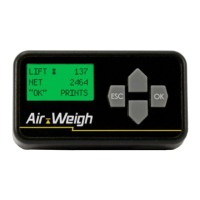
4. Record the weight shown on the display.
5. Compare the displayed weight to the weight of the tires,
which you recorded earlier. The two weights should be within
40 pounds of each other.
Note: With the proper calibration, BinMaxx will provide net
weight readings to within 20 pounds of any size bin with a
net weight of at least 100 pounds. A net weight less than 40
pounds in a bin will display a net weight of 0 pounds.
Calibrating Your Scale | Check-Weighing Your Scale


 To Next Page