23
• Lift your scale arms until the value for LO PROX changes
from 0 to a 3- or 4-digit number. Immediately stop the
arms.
• Measure the height from the ground to the arms. This
height should usually be around 50 inches, but see your
BinMaxx Installation Guide for an exact height for your
model.
• If the distance is much lower or higher than this, adjust
your target until it engages at the correct height.
• Raise the vehicle’s arms again until the value for HI PROX
on the display changes from 0 to a 3- or 4-digit number.
Immediately stop the arms.
• Measure the height from the ground to the arms as before.
This height should be around 100 inches, but see the
BinMaxx Installation Guide for an exact height.
• If the distance is much lower or higher than this, adjust
your target until it engages at the correct height. Make sure
you tighten your targets completely after adjusting them.
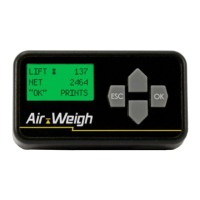
3. If you have a date/time printer, print your lifts. Any errors
present will show an error code. If you see the codes BAD
LEFT DEFLECTION SENSOR or BAD RIGHT DEFLECTION
SENSOR, you may have a loose cable or, rarely, a bad
sensor. Check all cables to see if there is a break or
corrosion. Check each connection to the ComLink, the
display, and the sensors. If you do not have a printer, check
all cables to rule out this issue.
4. Ifyouhavenotidentiedtheproblemorifthereisaproblem
with the power supply, call Air-Weigh Support for further
assistance.
Troubleshooting | Weight Readings Are Inaccurate


 To Next Page