Attend Mode
Attend mode is intended for situations where it is necessary for an engineer to work inside the cabin. Attend mode is
activated by pressing the attend button on entry to the cabin. In attend mode, the temperature setpoint within the cabin
will be changed to attend setpoint, and the evaporator fan speed will be limited. Once the attend button is pressed,
attend mode will remain active for 30 minutes before the unit automatically goes back into normal operation.
Control Mode Temperature
The Ecotel units shall control the return air temperature in order to keep it from exceeding the setpoint. The critical
minimum and maximum temperatures within the cabin will default to 5°C and 40°C respectively. An alarm will
be triggered if the return air temperature reaches or exceeds these extremities. The unit will use heating and full
mechanical cooling respectively to ensure that these temperatures are never reached.
Low Ambient Operation
AC power must be provided to the unit in all applications where the ambient temperature can be
less than 0°C.
The control panel design consists of a thermostat controlled electric heater tted to maintain a
given minimum control panel temperature. Without AC mains power this function will become
redundant and components can be taken outside of their operating/storage temperature range.
IMPORTANT
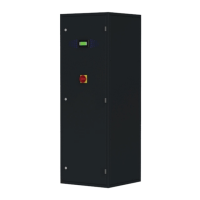
The Ecotel Mk4 shall always prioritise freecooling mode, never performing any cooling or heating unless absolutely
necessary. The Ecotel Mk4 constantly measures ambient and return temperature conditions to determine which mode
to use. If a specic set of conditions required to enable a different running mode are maintained for 60 seconds, the unit
will switch to the appropriate mode.


 To Next Page