12
_
+
autoauto
auto
4.2.2. Air Flow - Manuel Setting
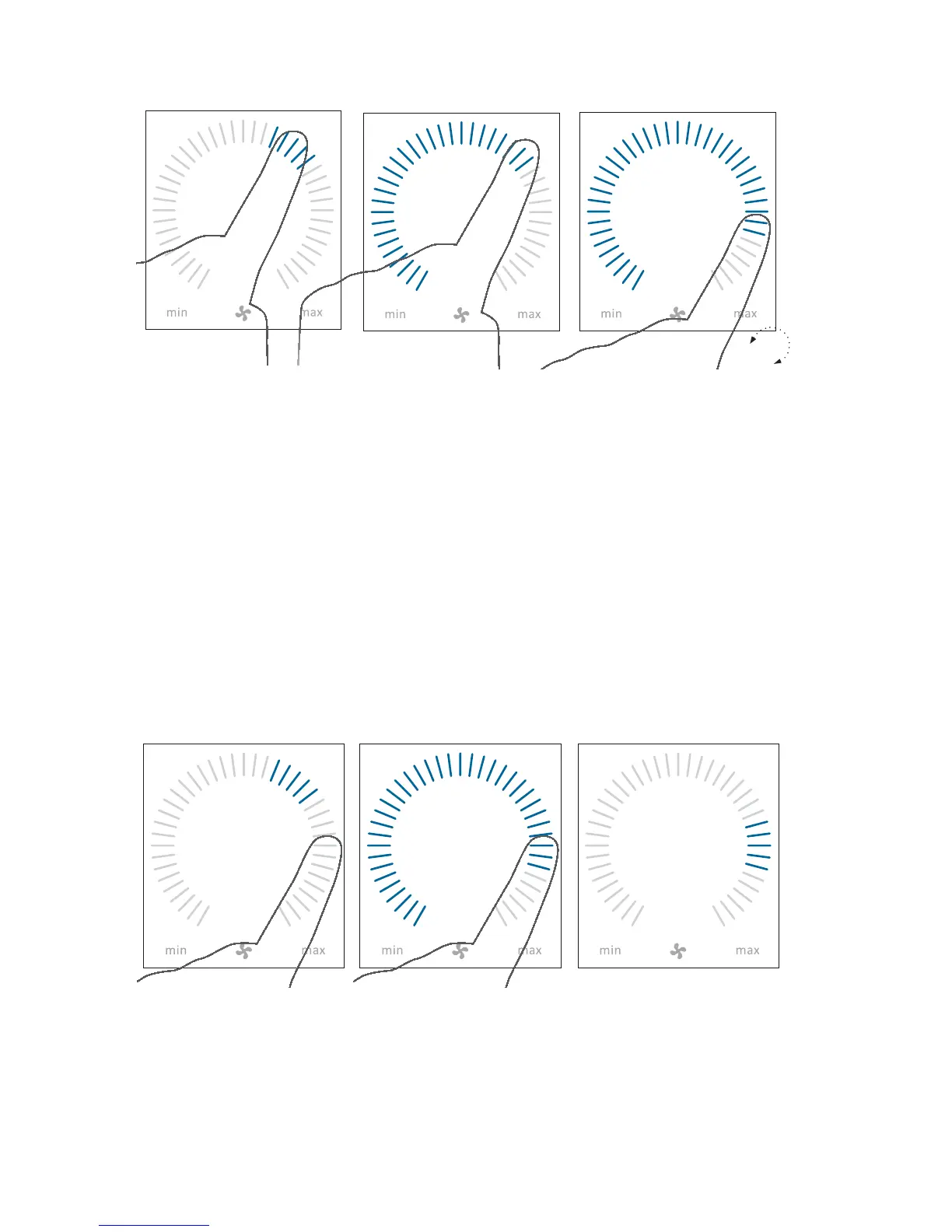
Drag your nger on the setting area
clockwise to increase air ow or
counter clockwise to reduce air ow.
The light will follow your movement.
Lift nger from the area when the
required air ow is shown. The
current setting will then be shown
with 5 blue stripes.
After 12 hours (time can be adjusted
to 0, 1, 2, ... 255 hours using a PC
with Airlinq Service Tool loaded)
the unit will return to automatic
operation.
Cancel the operation lock or screen lock (if in use) and press the current
air ow until the air ow display is marked up to the current setting
with blue stripes.
The same setting can be made by pressing the required air ow until the
air ow display is marked up to the required setting with blue stripes.
Lift nger from the area when the
required air ow is shown. The
current setting will then be shown
with 5 blue stripes.



 To Next Page