17
4.2.4.5. Setup
All operational parameters can be changed under the “
SETUP” menu, according to local conditions.
Timers
TIMERCONTROLLED VENTILATION and
NIGHT TIME COOLING, set using the control panel or
“Airlinq User Tool”, starts and stops the air handling unit
using a timer. There are up to 7 dierent timer programs
for timer-controlled ventilation. All programs can be active
concurrently, and run after each other or override each
other.
Detailed function description available on page 24.
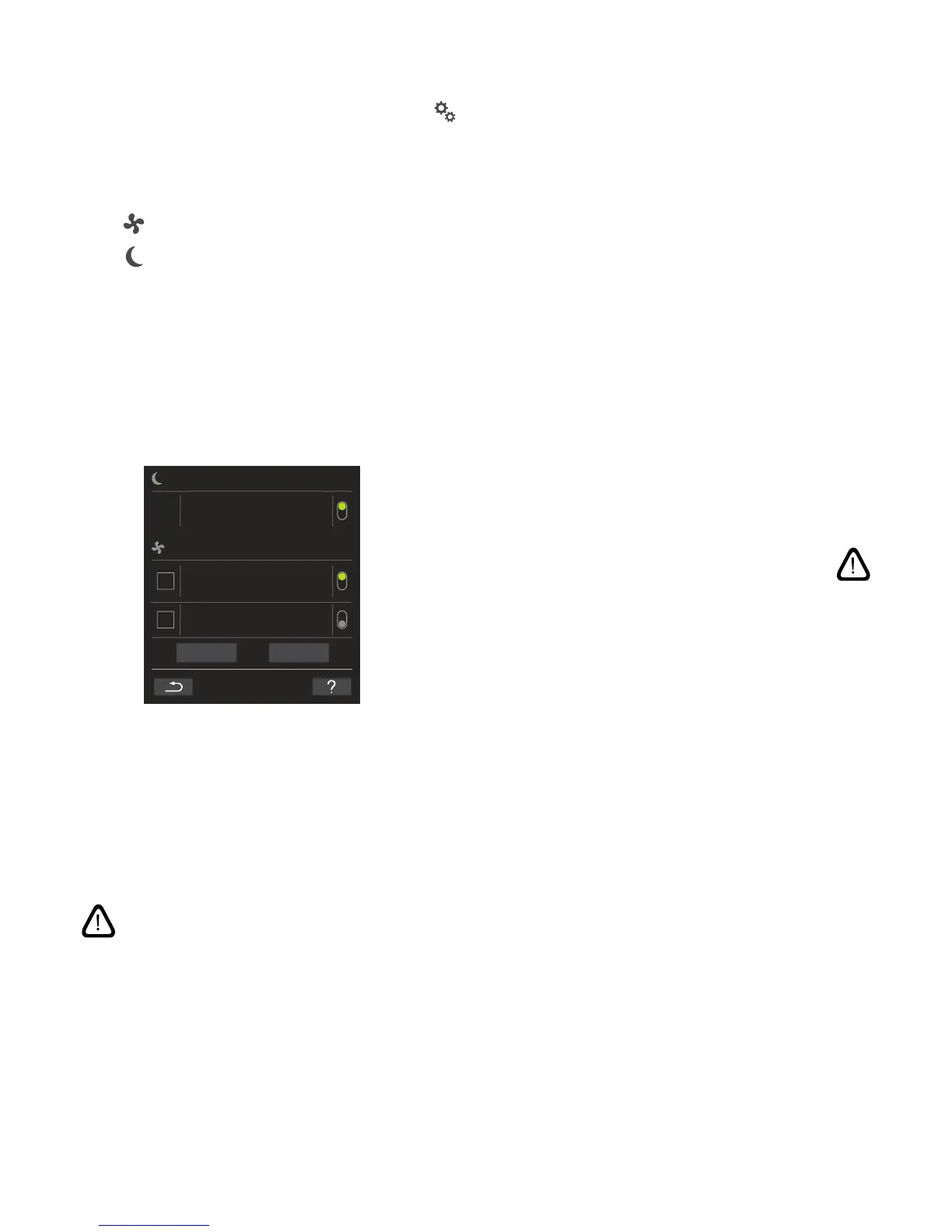
PROGRAM DISPLAY
NIGHT TIME COOLING
00:00
06:00
TIMER-CONTR. VENTILATION
FLOW: 100% TEMP 16⁰C
MO TU WE TH FR SA SU
07:00
17:00
07:00
17:00
FLOW: 80% TEMP 19⁰C
MO TU WE TH FR SA SU
FLOW: 30% TEMP 19
⁰C
MO TU WE TH FR SA SU
ADD
REMOVE
PROGRAMS DISPLAYED (examples)
Night time cooling:
Air ow (Flow) 100%, Inlet temperature (Temp) 16 °C,
Start: 00:00, Stop: 06:00,
Days: All days of the week (MO, TU, ..., SA, SU),
Program active (green point).
NB! Days for night time cooling cannot be adjusted.
Timer-controlled ventilation upper program:
Air ow (Flow) 80%, Inlet temperature (Temp) 19 °C,
Start: 07:00, Stop: 17:00,
Days: Monday to Friday (MO, TU, WE, TH, FR shown in
white text); Saturday and Sunday are programmed inac-
tive (SA and SU shown in light grey text),
Program active (green point).
Timer-controlled ventilation lowest program:
Air ow (Flow) 30%, Inlet temperature (Temp) 19 °C,
Start: 07:00, Stop: 17:00,
Days: Monday to Friday (MO, TU, WE, TH, FR shown in
white text), Saturday and Sunday are programmed inac-
tive (SA and SU shown in light grey text),
Program inactive (grey point).
Adjust a program
Press program.
>> Follow the guide on the next page.
Activate a program
Press the grey point on the right side of the program.
>> The point will change position upwards and go green.
NB! The most recently activated timer program dic-
tates operation of the air handling unit.
Deactivate a program
Press the green point on the right side of the program.
>> The point will change position downwards and go
grey.
Add a program for timer-controlled ventilation
Press “Add”.
>> Follow the guide on the next page.
Remove a program from timer-controlled ventilation
>> Follow the guide on the next page.



 To Next Page