34
7.6. Setting Inlet Opening
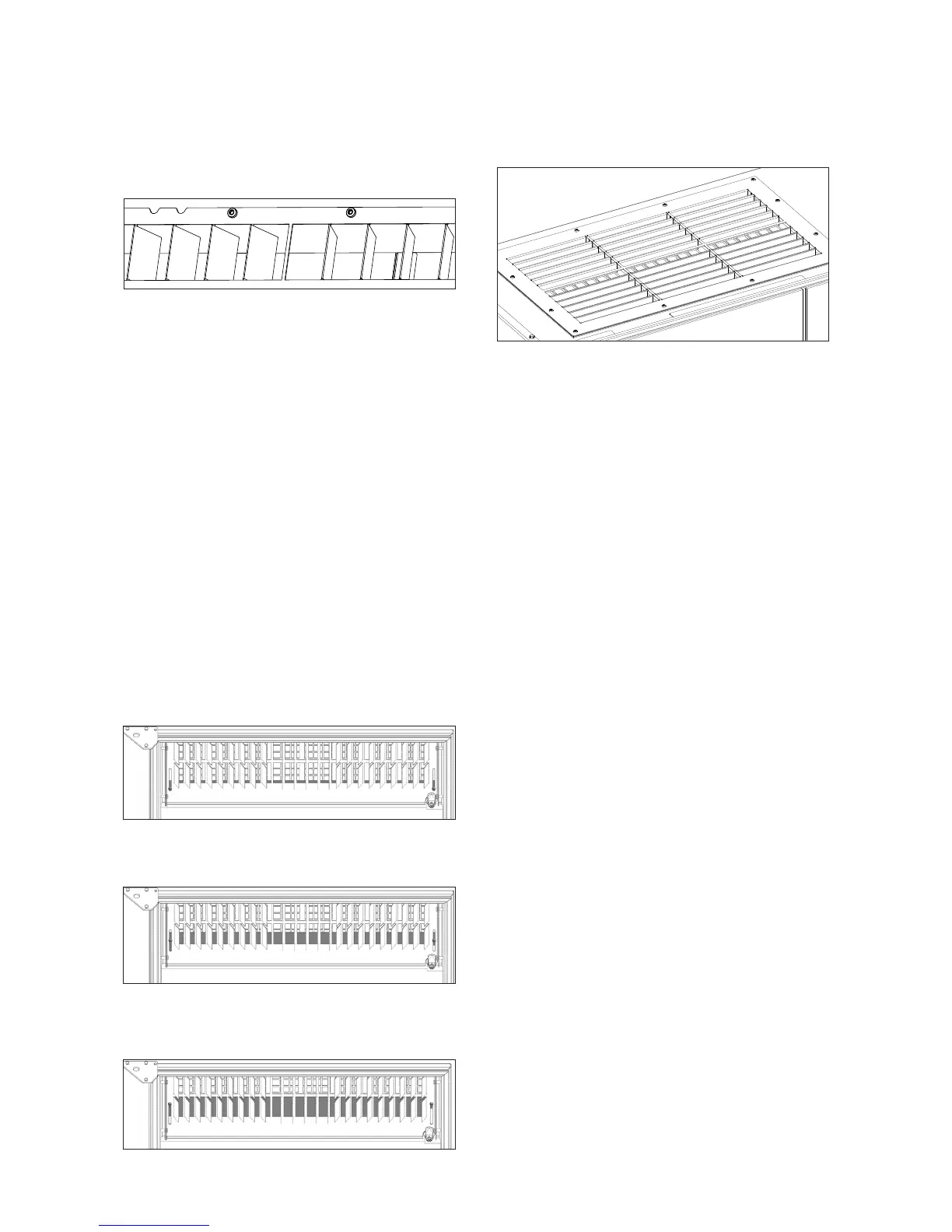
AM 100, 300, 500 and 800
The inlet opening louvres can be bent slightly using long-
nosed pliers to adjust inlet direction.
AM 900
The inlet opening area can be adjusted and xed at the top
of the front cover using a cover plate.
• Switch o the air handling unit.
• Disconnect from power supply.
• Open front cover.
• Slacken the nuts on both sides of the lower part of
the inlet opening by one turn.
• Adjust the cover plate to suit.
• Tighten the nuts on both sides of the lower part of
the inlet opening.
• Close the front cover.
• Reconnect to the power supply and start the unit.
Inlet opening fully open = low inlet velocity:
Cover plate half closed = medium inlet velocity:
Cover plate fully closed = high inlet velocity:
AM 1200
The inlet opening louvres can be bent slightly using long-
nosed pliers to adjust inlet direction.



 To Next Page