9
auto
auto
auto
0 2
2.
1.
3.
4.
4 6 8
3.2.5. Holiday Mode - Activation
Holiday mode is used as basic ventilation when the room
is unused for an extended period, e.g. holidays.
In holiday mode, the air handling unit will run with min.
air ow. The internal control function “Low temperature”
is active to protect the unit against ice formation. The
control function is able to activate the heating surfaces if
necessary. The internal control function “High temperature”
is deactivated in holiday mode.
See also “Internal Control Functions” on pages 26 and 27.
Activate holiday mode.
Press holiday mode button (pos. 5. under ”Control Elements”
on page 6) for 2 seconds.
>> The unit will go into holiday mode.
Cancel holiday mode:
Press the function button (pos. 2. under ”Control Elements”
on page 6).
>> The unit will return to automatic operation.
3.3. Warning and Alarm
The Airlinq control system monitors temperatures, air-
ow, cooling module function, lter status and various
components.
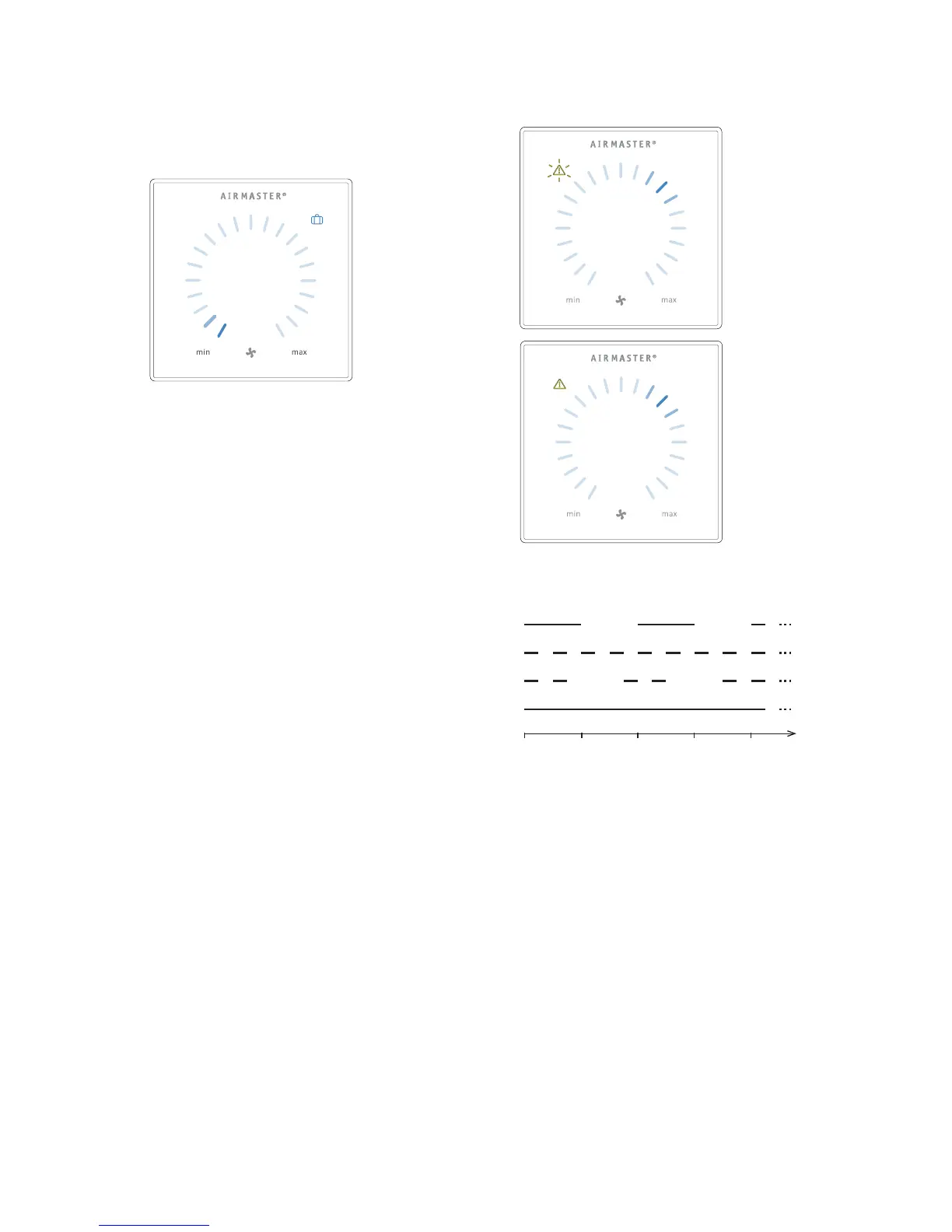
In the event of a fault, the control panel will show a yellow
or red symbol. The unit will maintain operation for yellow
warnings as best it can, whilst it will stop for red alarms.
Warnings and alarms are shown by ashes at various inter-
vals or a constant light. In the event of multiple faults, the
faults will be shown with a brief pause in between each one.
Warning and alarm displays (yellow and red):
Light signals for warnings and alarms:
1. Slow ash (2 seconds on 2 seconds o).
2. Rapid ash (0.5 seconds on, 0.5 seconds o).
3.
Rapid double ash (0.5 seconds on, 0.5 seconds o,
0.5 seconds on) at 2 second intervals.
4. Light on constantly.
See explanation of fault types on next page.
secs



 To Next Page