BRIDGE LIVE Video I/O and Streaming Appliance v1.12 58 www.aja.com
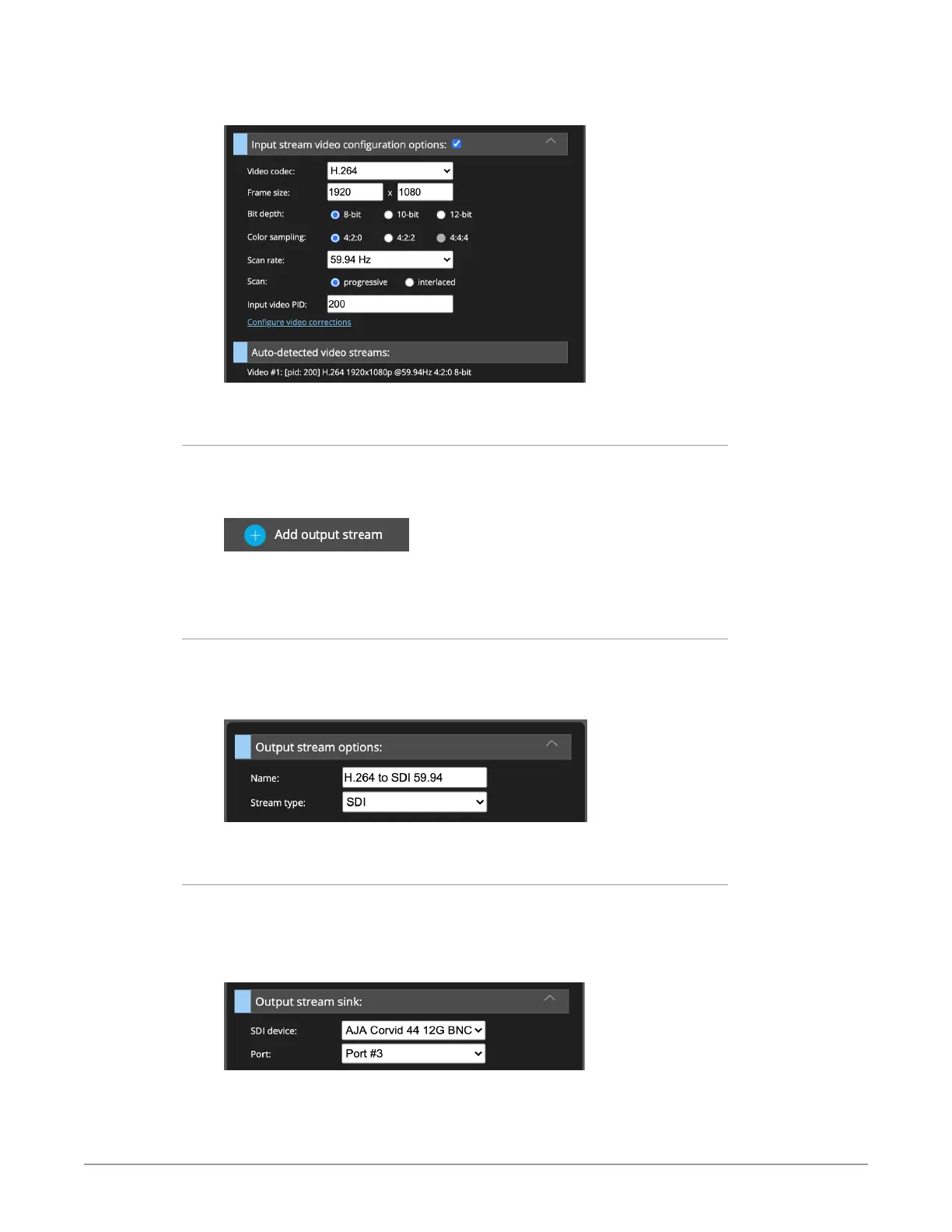
Figure 80. Input stream video configuration options Auto-populated and
Auto-detected H.264 video streams
Adding the Output Stream
Next, from the lower area of the Output stream mapping column of the
Dashboard, click Add output stream.
Figure 81. Add output stream button
New fields display for naming and configuring your new output stream.
Naming the Output Stream
Under the heading Output stream options, enter a name in the Name field.
For Stream type, select SDI.
Figure 82. Output stream options panel
Selecting the Output Stream Sink Type
Under the heading Output stream sink, select AJA Corvid 44 12G BNC - 0 from the
SDI device drop-down menu.
In this example, we have selected Port #3 to output the SDI signal.
Figure 83. Output stream sink panel



 To Next Page