HELO H.264 Streaming and Recording Encoder v1.1r1 30 www.aja.com
Identify LED
Off - Factory default.
On - When On is selected, the power LED on the connected HELO’s front panel
will blink. This can help you identify a particular HELO unit if more than one is
connected.
Enable HDMI Monitor
On - HELO’s HDMI output is active and displays the current recording or stream
(factory default).
Off - The HDMI output is disabled.
NOTE: HELO’s HDMI output is suitable for confidence monitoring only. The image quality
and frame rates reflected on this output are not indicative of the encoded files or
stream.
UPnP Host
Enable - UPnP is enabled, allowing easier connection to HELO over the network
via discovery through Bonjour or Windows network browsing (factory default).
Disable - UPnP is disabled. HELO will not advertise itself for discovery via Bonjour
or Windows networking.
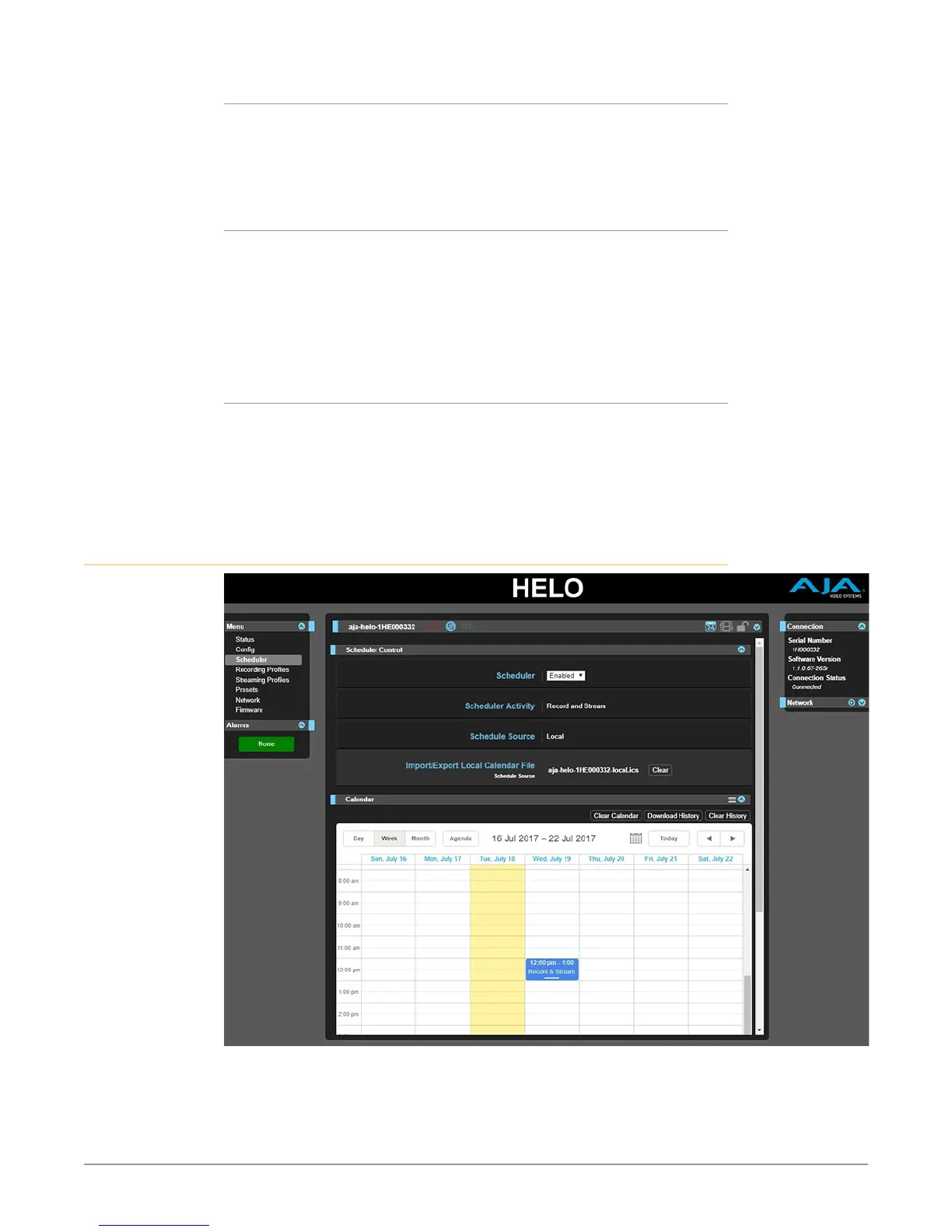
Scheduler Screen
With the Scheduler, you can schedule one-time or recurring events for recording,
streaming, or both. You can use local and remote calendars. You can also import
and export calendar files, and export scheduler history logs.



 To Next Page