HELO H.264 Streaming and Recording Encoder v1.1r1 45 www.aja.com
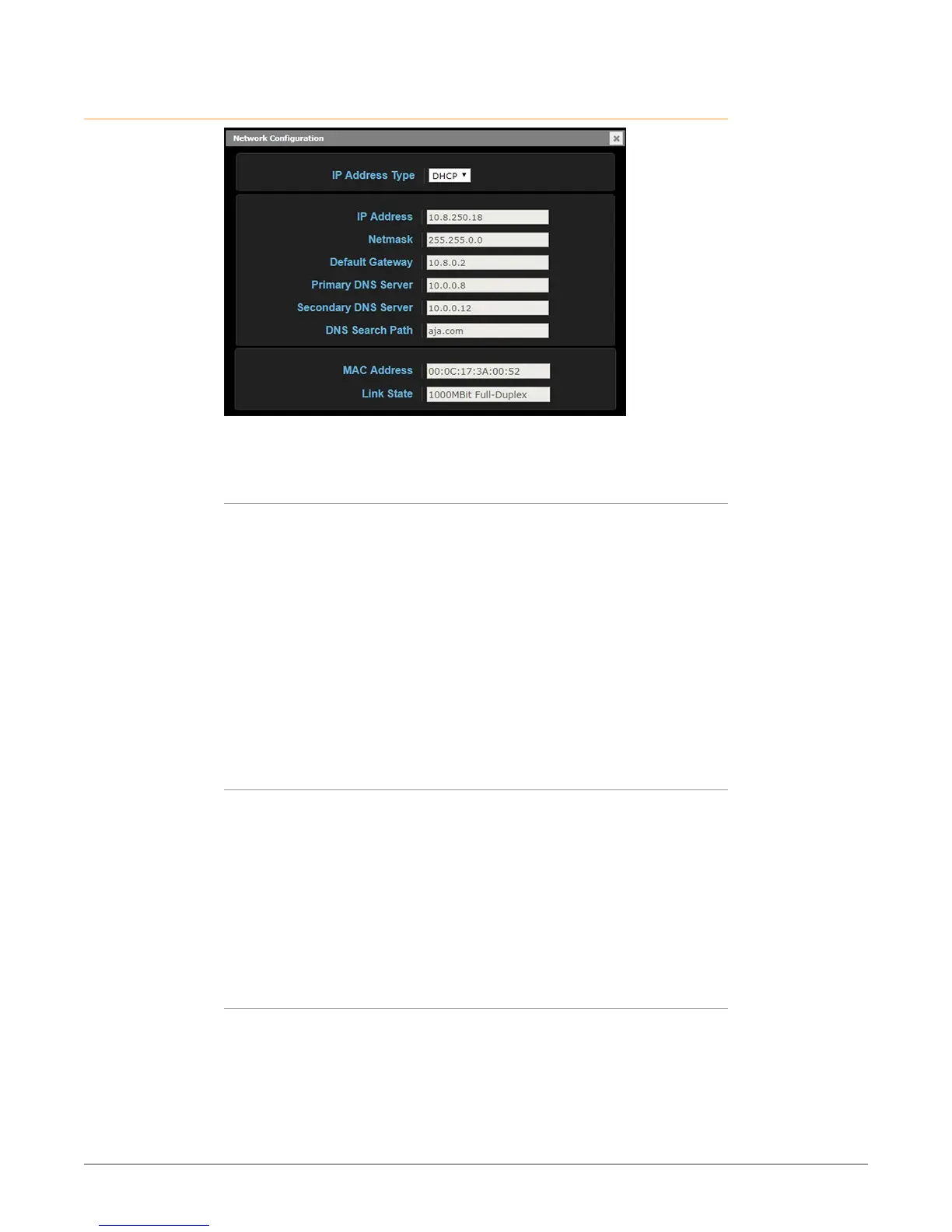
Network Screen
The Network screen allows you to view and change your HELO’s network settings.
When using a static address, click Apply to activate any changes.
IP Address Type
IP Address Type determines the type of TCP/IP network configuration to be
used. DHCP enables connecting to the network DHCP server, which assigns
the IP Address, Netmask, and Gateway automatically. Static lets you set these
parameters manually.
NOTE: If the IP Address Type is DHCP, the IP Address, Netmask, and Default Gateway
are gray, indicating they are set automatically and cannot be changed unless
IP Address Type is first set to Static. Changes are saved and activated upon
confirmation using the Apply button.
DHCP (default) - Selects automatic IP address assignment from the LAN DHCP
server. If a DHCP server cannot be found, it fails over to the static IP address.
Static - Assigns a static IP address manually (using parameters 2.2, 2.3, and 2.4).
The factory default static IP address: 192.168.0.1.
IP Address
IP Address determines a static IP address to be used for TCP/IP networking.
Consult your network administrator about how to set this value.
• If IP Address Type is set to DHCP, the IP address is set automatically by the
network DHCP server and cannot be entered here.
• If IP Address Type is set to Static, enter an IP address compatible with your LAN
here. Also enter a netmask and default gateway address in the following two
parameters. Click Apply when you are ready to apply all three entries.
• If IP Address Type is set to DHCP and there is a DHCP failure, the IP address is
set to the static IP address.
Netmask
Netmask determines the subnet mask to be used for TCP/IP networking.
• Enter a subnet mask compatible with your LAN. This is only needed for Static
IP congurations. The factory default Subnet Mask is 255.255.255.0.
• If IP Address Type is set to DHCP, the Subnet Mask is set by the DHCP server
and cannot be changed by the user.



 To Next Page