HELO H.264 Streaming and Recording Encoder v1.1r1 32 www.aja.com
If you want to edit a remote calendar, you will first need to export it from the
remote source, such as Google, then upload it to HELO as a local calendar; this will
allow edits.
To push any changes back, you will need to export the calendar from HELO and
upload it back to the original source.
To Create a New Event
1. Make sure you have selected "Enabled" from the Scheduler control.
2. Double-click on the calendar. A new event window pops up.
3. Enter a description in the Description eld. Enter any details that would be
useful to include in the Details eld.
4. For a repeating event, click the Disabled button on the right side of the
Repeat event section. Repeat event controls display.
NOTE: Exceptions to repeating events, such as changes to or deletions of a single event
in a series, are not supported in release 1.1.0.
5. Use the Full day checkbox to indicate whether or not it is a full-day event.
6. Select the start date eld to bring up a calendar. Click the date you want to
use.
7. Select the start time eld to bring up a clock. Select the hour, minute and
AM/PM settings. (AM/PM is a choice if you are not in 24-hour clock mode.)
8. At the bottom of the clock display, select Done.
9. Repeat this same process to select the ending date and time for your event.
10. Select Save. Your new event will display on the calendar.
Scheduler Status
If a current event is active, it will display in the Scheduler Status portion of the
Status page. The next scheduled event that isn't currently active will show up in
the "Next Event" field right underneath it.
Sync Now
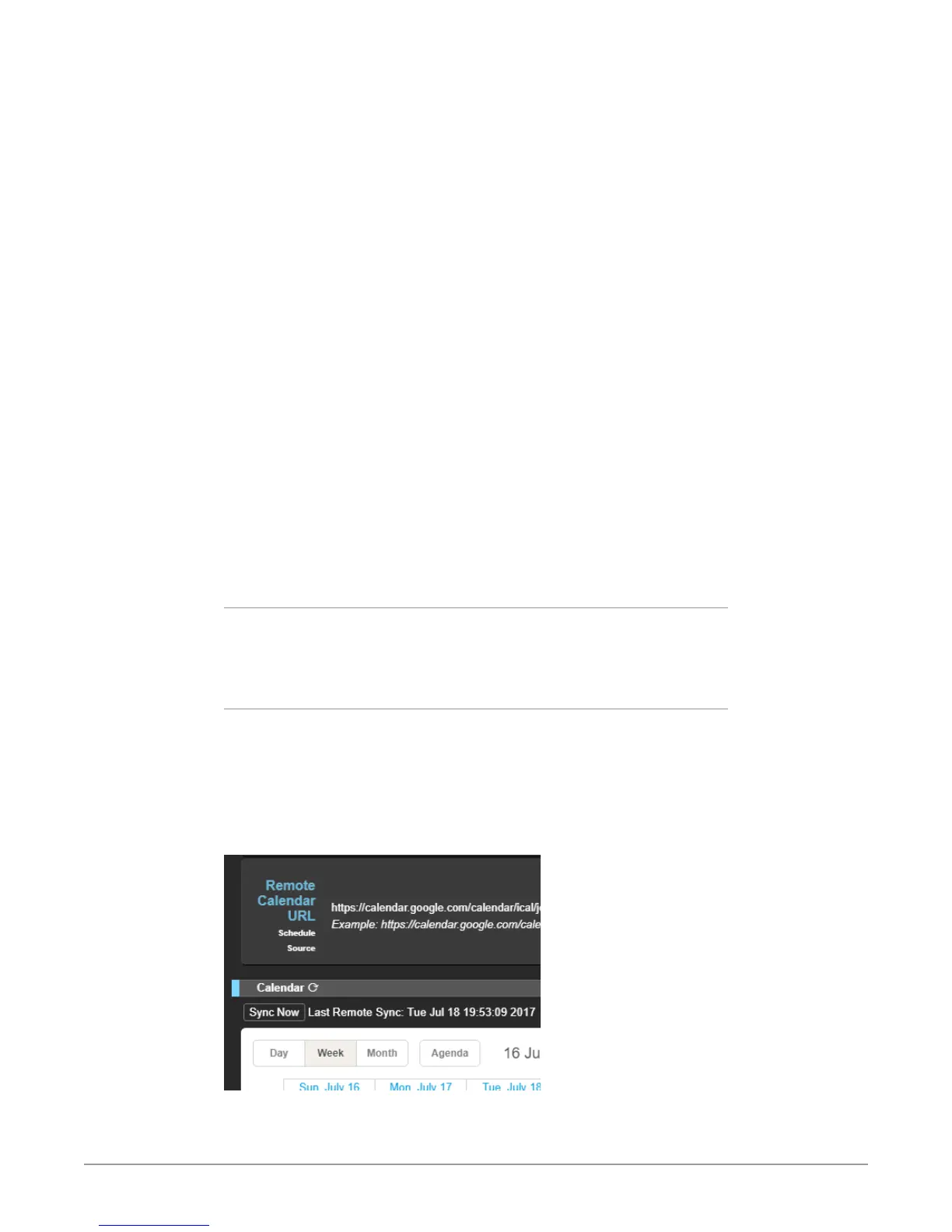
When using a remote calendar, a Sync Now icon appears to the right of the
Calendar heading. There is also a Sync Now button just below that. These both do
the same thing. They retrieve the latest version of the remote calendar from the
remote server hosting it. The date and time of the last sync is shown to the right
of the Sync Now button. Additionally, syncronization occurs automatically every
15 minutes.
Figure 9. Remote Calendar Sync Now Refresh Icon and Button



 To Next Page