1
85
Ki Pro Installation and Operation Manual — Web Browser via Ethernet
SLOT: This button serves two purposes. First, it selects which storage is accessed by the
system-either the storage module slot or an ExpressCard slot (only Slot 1 is
functional in firmware version 3.0). Second, the SLOT button is used to unmount a
currently selected piece of media.
Caution!
Not using the SLOT button to unmount media before removal can cause
problems with the files stored on that media.
Pushing the SLOT button cycles between unmounting media and selecting
media. This function is only active when in the “STOP” mode and requires a
“PRESS STOP TO CONFIRM” if not stopped. After you select a slot, the system
returns to the last selected clip and timecode for that slot. If the media has been
changed since the slot was last selected (physically removed/media replaced),
then the “first” clip on the media will be “cued” to its start point. If inserted media
has any issues, additional prompts may be displayed as appropriate such as:
“WARNING FRMT MEDIA” or “WARNING MEDIA LOW.”
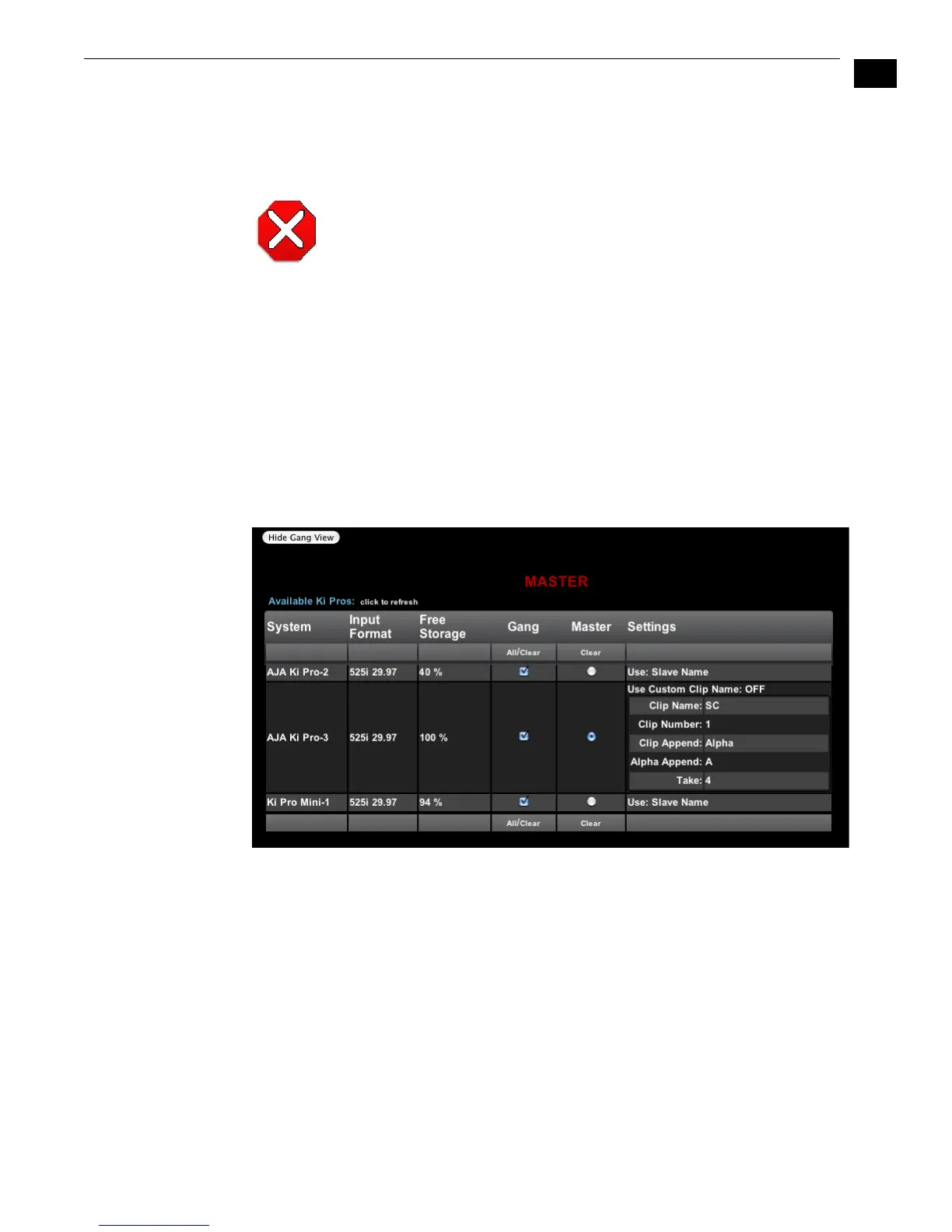
Show Gang View: When clicked, the Transport screen expands at the bottom to show
controls for controlling multiple Ki Pros. See “Gang Recording” on page 102 at the
end of this chapter for an additional tutorial on using this feature.
Ki Pro Web Interface, Transport Screen Gang View



 To Next Page