1
61
Ki Pro Installation and Operation Manual — CONFIG menus
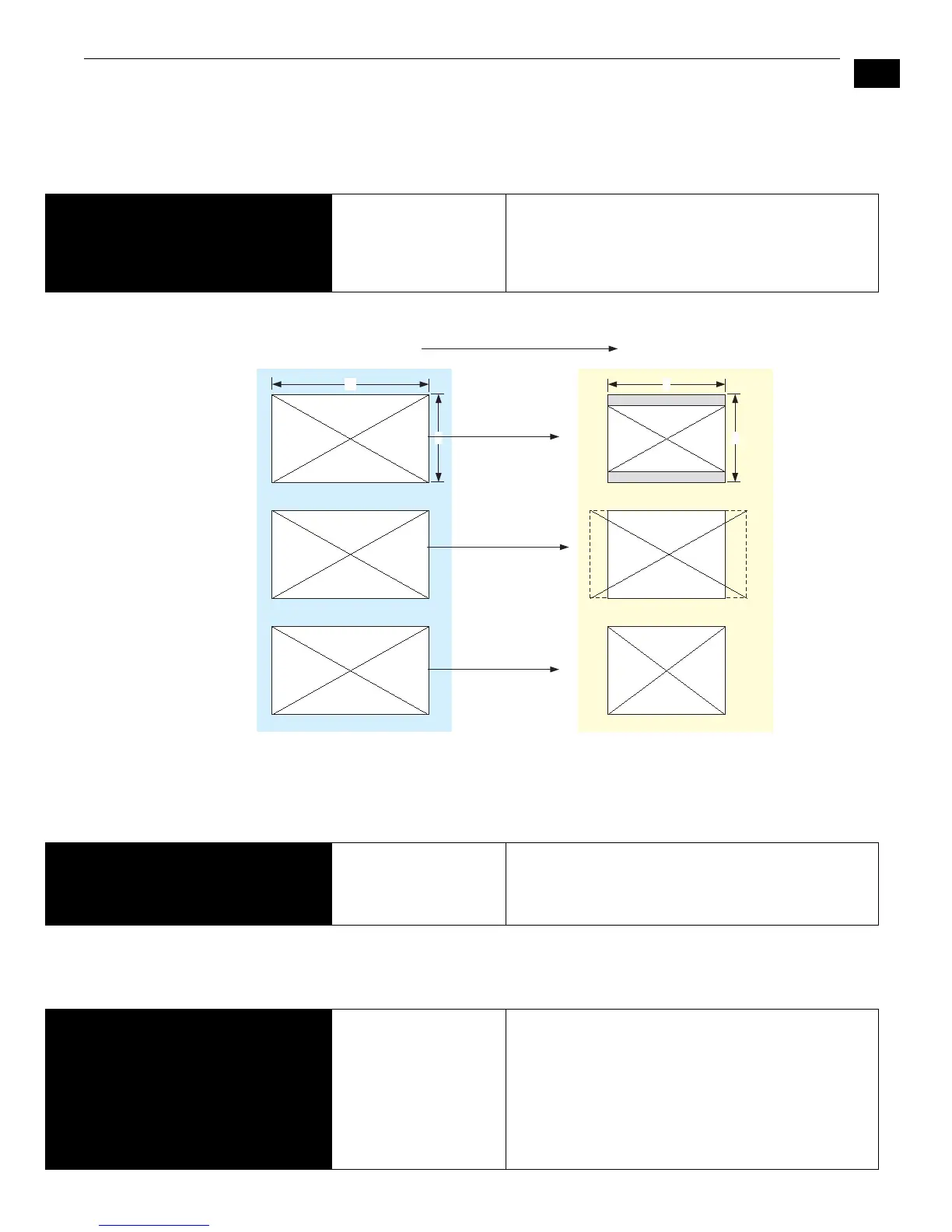
5.2 DOWNCONVERSION
This parameter selects the type of downconversion from HD performed, if set up to do
so with parameters 1.6 through 1.8.
6.1 GENLOCK
This parameter selects source of reference video used to genlock to during playback. Ki
Pro always genlocks to the selected input during capture.
8.0 TC IN
This parameter selects the source of timecode start from those available.
5.2 DOWNCONVERSION LETTERBOX (default)
CROP
ANAMORPHIC
Image is reduced with black top and bottom added to
image area, with the aspect ratio preserved
Image is cropped to fit new screen size
HD image is converted to full-screen SD with a 16x9
aspect ratio (anamorphic)
16
9
Downconvert Illustrations—Ki Pro
Anamorphic
Letterbox
4
3
16:9 Downconverts To These displays on 4:3
Crop
6.1 GENLOCK INPUT
CMP Y
FREERUN (default)
Use the currently selected input as the Genlock source
Use component Y as the Genlock source
Free run mode: Ki Pro syncs to its own timebase and is
not locked to an external source
8.0 TC IN TC VALUE (default)
SDI RP188
LTC
FW400
TIME OF DAY
RS422
Use the value specified in parameter 8.1 TC VALUE
Use the timecode read from the embedded RP188
metadata in the SDI input
Use timecode from the LTC input connector
FireWire TC value is used (FW400 is presented only if
parameter 35.2 is set to FW Only)
Set TC to “Time of Day” clock (CONFIG parameter 55.6)
RS422 in-point TC value is used for the start value of a
recording (presented only if 35.2 is set to RS422 Only)



 To Next Page