78
If 50.1 is set to Default Addr, the factory default static IP address is: 10.65.74.65.
So, if 50.1 is set to Default Addr, you would type the following in the web browser:
http://10.65.74.65 to see Ki Pro’s web interface Main Status screen.
General Screen
Information
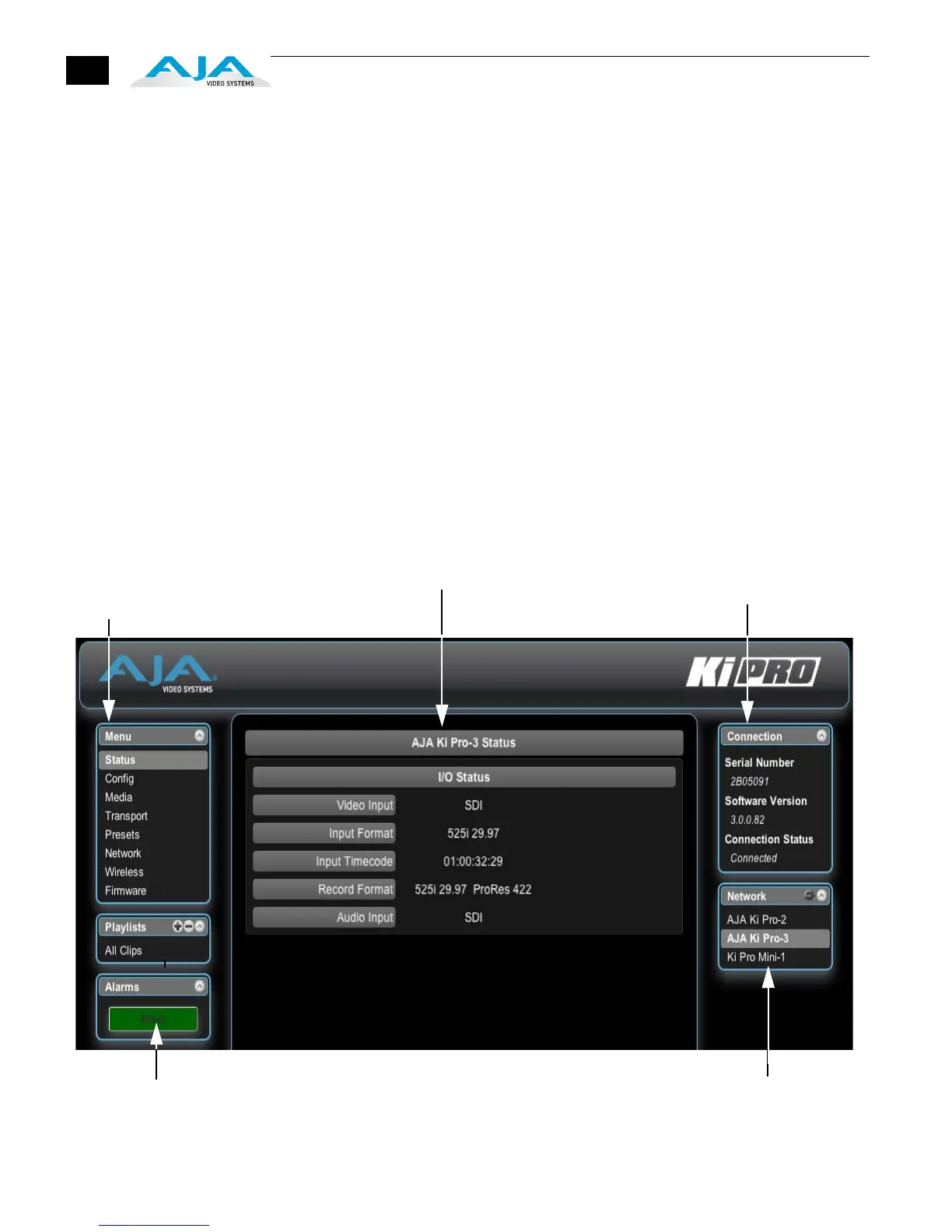
All Ki Pro web screens have certain areas in common. On the left of each screen is a
Menu panel listing all the available Ki Pro screens. Click any of these links to jump to
that screen. On the right side of each screen you’ll also find a Connection panel.
This area shows the connection status in addition to the Ki Pro’s serial number and
software version. This latter information is useful if you ever have to call AJA
Technical Support to discuss a problem or get help. Below the Connection panel,
the Network panel shows the Ki Pro systems on the network and allows you to
switch control between systems. See “Controlling Multiple Ki Pros” on page 102 at
the end of this chapter for additional information on using multiple Ki Pros. In the
middle of each screen are selections and information pertaining to the subject
matter of that screen (i.e., the “Media” screen has choices about the media formats
you are using).
Ki Pro web screens closely mirror the parameter menus displayed on its front panel.
In each of the screens presented on the following pages, we’ll list the parameter
menu numbers that are related so you can read the full definitions. Additionally, the
Status screen lets you change parameter settings right on the screen if you right-
click the setting.
Ki Pro Web Interface, Main Status Screen
S/N, software version
Menu of Ki Pro Screens:
Click one to Display
that Screen
and connection status
Selections and Information
List of Ki Pros on the LAN:
Alarms appear here
Click arrow or gear icon to show/hide
Network list and info.



 To Next Page