1
13
Ki Pro Installation and Operation Manual — Features
• 10/100/1000 Ethernet LAN
• Panel user interface features a VFD display (2 line character display), with 14
control buttons, 3 control knobs, and a power button
• Storage Module (HDD) with FireWire 800 port for use with Apple Mac®
computers (HFS+ file system)
• 12 Vdc AC adapter with industry standard 4-pin XLR connector
• 3-year warranty
Software
• Remote Browser control software. When a Mac®, PC, or 802.11b/g enabled
device such as an iPhone are connected via the Ki Pro Ethernet port or its
802.11b/g connection, the device can control the Ki Pro via a web browser
• 20 Preset registers for storing and recalling system preset configurations
• Embedded internal web server for remote control via 802.11b/g or LAN
• Gang recording via multiple Ki Pro units controlled by a master Ki Pro unit
(see CONFIG parameter 35.4 explained in Chapter 3)
• RS422 control of Ki Pro for VTR-like interaction with edit controllers or
non-linear editors (see CONFIG parameter 35.2 explained in Chapter 3)
• Alarms to alert you to conditions that may need your attention
Options
AJA’s Ki Pro can be enhanced by purchasing several options:
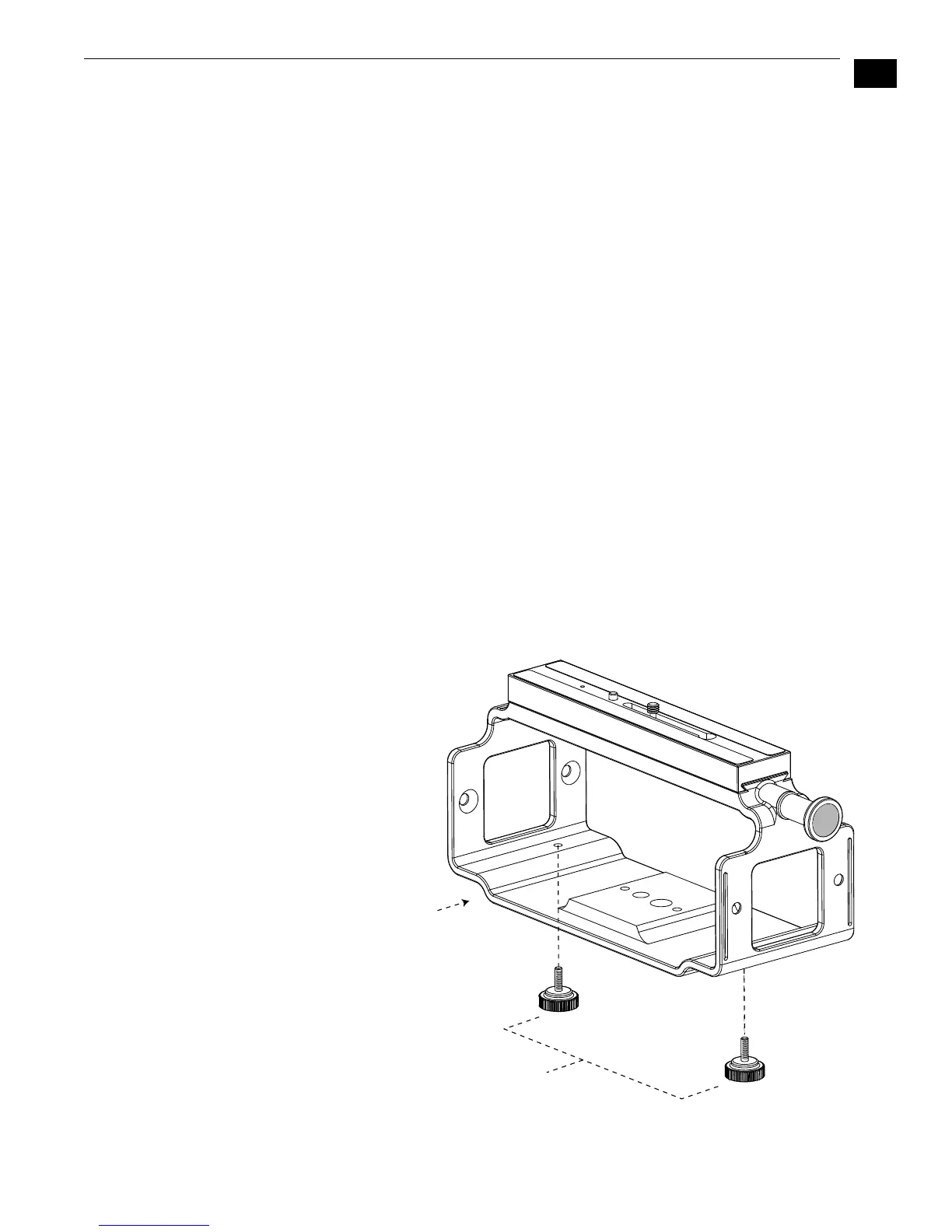
• Ki Pro Exo-skeleton—provides a surrounding chassis for the Ki Pro that can
both mount to a tripod and provide a mount for a camera on top; this
combination allows convenient access to controls.
Ki Pro Exo-skeleton Option
Base Ki Pro Exo-skeleton
chassis with camera mount
Knurled thumbscrews
secure Ki Pro chassis
to Exo-skeleton



 To Next Page