DVD Recorder
11
Connecting External Equipment
You can connect a wide range of audio and video equipment to and
from your DVD Recorder.
The following table lists a range of the available connectors on the DVD
Recorder.
NOTE: Refer to the manufacturer’s guide for further instructions on
how to connect the equipment.
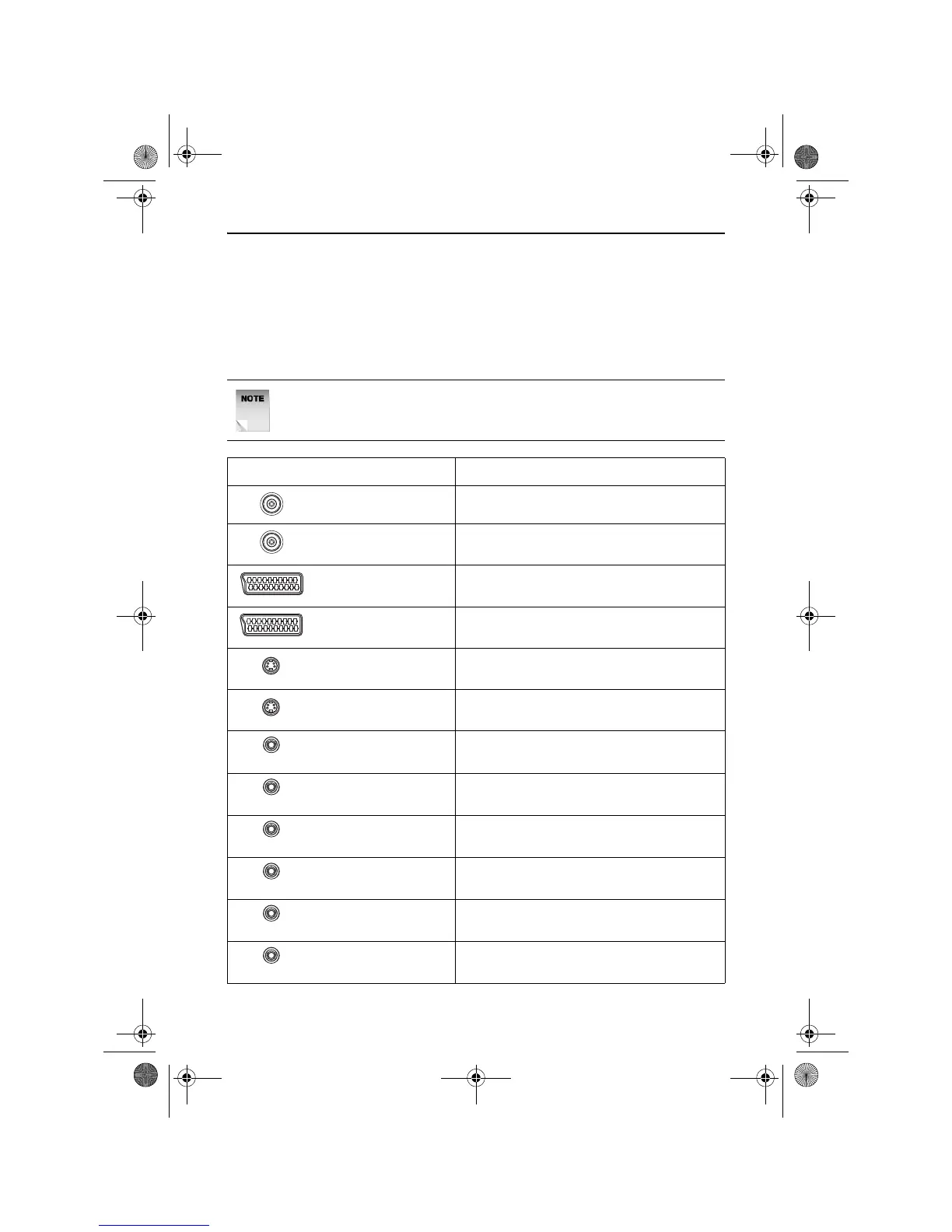
Connector Purpose
Antenna In Receives TV signals from an external
aerial.
TV Out Transmits TV signals to the television.
Scart In Receives a complete AV (Audio Visual)
signal from external devices.
Scart Out Transmits a complete AV (Audio Visual)
signal to the television.
S-Video In Receives high quality video signal only (no
audio) from external devices.
S-Video Out Transmits high quality video signal only (no
audio) to the television.
Video In Receives video signal only (no audio) from
external devices.
Video Out Transmits video signal only (no audio) to
the television.
Coaxial Out Transmits video signal only (no audio) to an
external device.
Cr Output Transmits the Cr component video signal
only (no audio) to the television.
Y Output Transmits the Y component video signal
only (no audio) to the television.
Cb Output Transmits the Cb component video signal
only (no audio) to the television.
(Yellow)
(Yellow)
(Orange)
(Red)
(Green)
(Blue)
RDVD1002.book Page 11 Tuesday, January 24, 2006 12:25 PM



 To Next Page