DVD Recorder
33
Timer Recording
Setting the Correct Date and Time
To perform timer recording events, the DVD Recorder must be set to the
correct date and time. This should have been done when completing the
Initial Setup Wizard when the DVD Recorder was first turned on. If this
has not been completed, follow the instructions below.
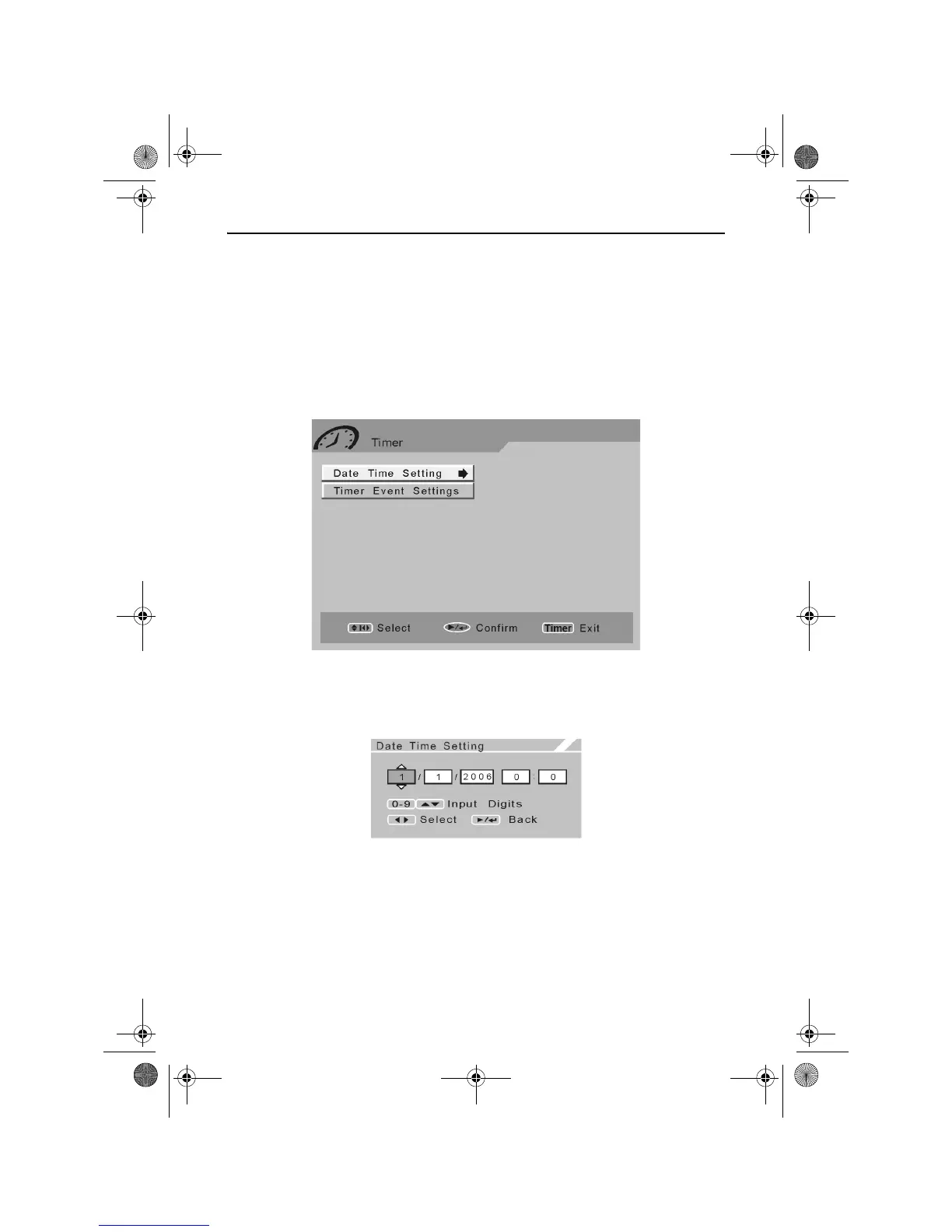
Press the TIMER button. The Timer menu will appear as shown below.
Use the UP and DOWN ARROW buttons to highlight Date Time Setting.
Press the RIGHT ARROW button to access the Date Time Setting
screen.
Use the LEFT and RIGHT ARROW buttons to select the Day (D), Month
(M), Year (Y), Hours (H) and Minutes (M). To adjust the selection, use
the UP or DOWN ARROW buttons or alternatively enter a value using
the NUMERIC buttons.
Once the correct date and time have been set, press the PLAY/ENTER
button.
RDVD1002.book Page 33 Tuesday, January 24, 2006 12:25 PM



 To Next Page