DVD Recorder
39
The Disc Menu
The Disc menu allows you to view, select and edit the titles recorded on
the DVD-R or DVD-RW disc.
Insert a disc into the DVD Recorder as described on page 18.
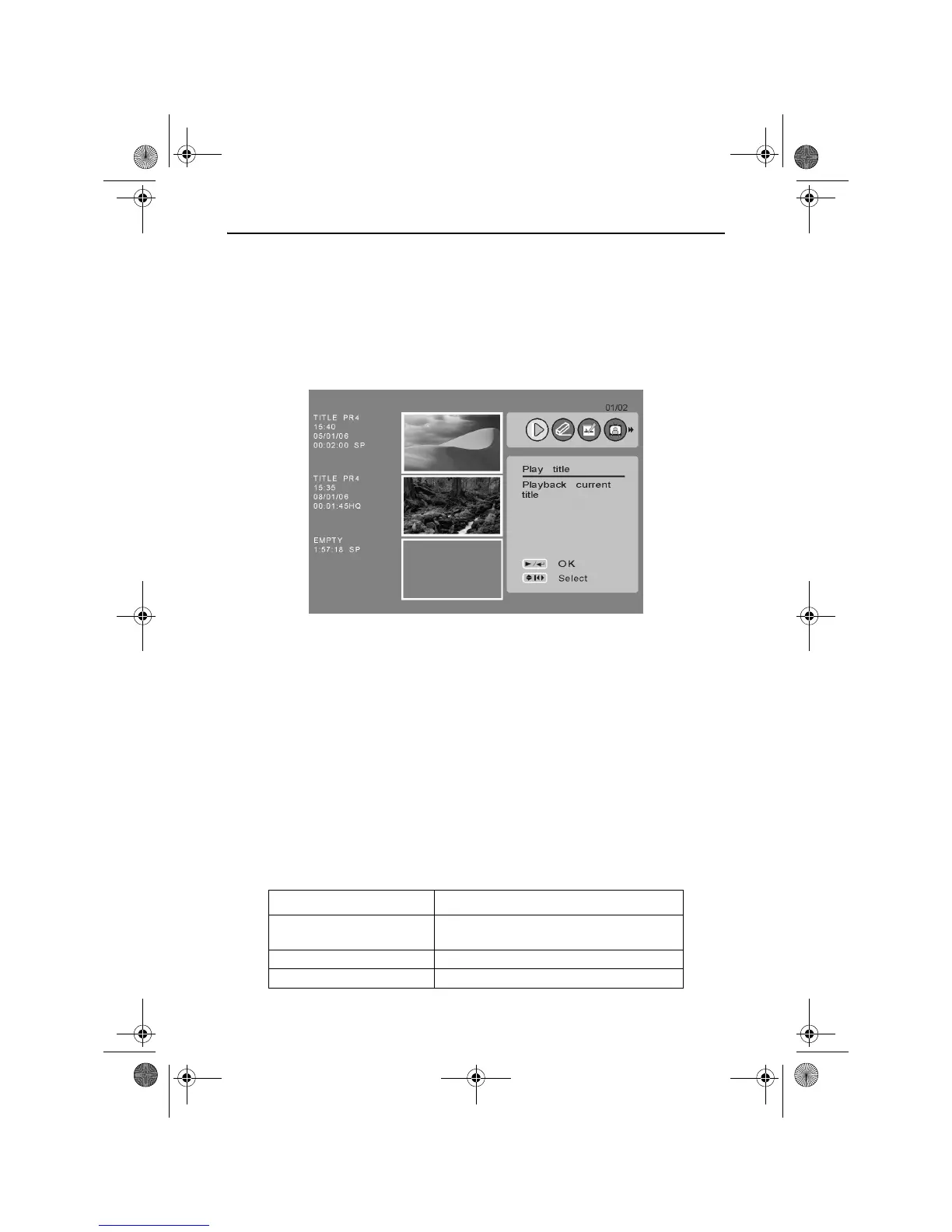
To access the Disc menu, press the DISC MENU button. The following
screen is displayed.
To Play a Title
Use the UP and DOWN ARROW buttons to highlight the desired title.
Use the LEFT and RIGHT ARROW buttons to highlight the Play Title
icon.
Press the PLAY/ENTER button. The title will begin to play.
To Erase a Title (DVD-RW Only)
Use the UP and DOWN ARROW buttons to highlight the desired title.
Use the LEFT and RIGHT ARROW buttons to highlight the Erase Title
icon.
Press the PLAY/ENTER button. The following options will appear.
Option Description
Erase selected title (s) Erases all the previously selected titles
from the disc.
Erase all titles Erases all the titles on the disc.
Cancel Returns to the main Disc menu screen.
RDVD1002.book Page 39 Tuesday, January 24, 2006 12:25 PM



 To Next Page