DVD Recorder
35
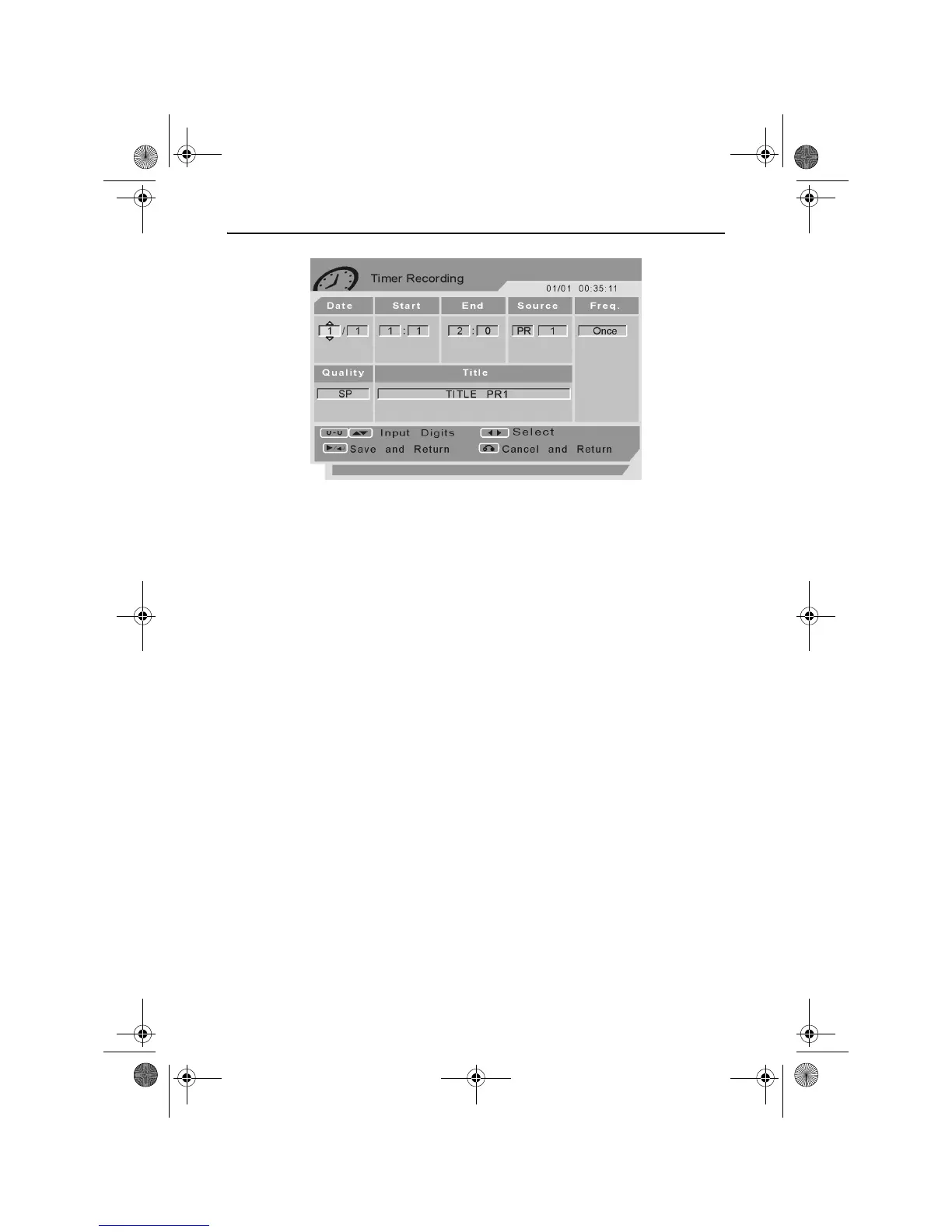
The Timer Recording menu will highlight the day field within the Date
column.
Press the UP and DOWN ARROW buttons to modify the day.
Press the RIGHT ARROW button to highlight the month field within the
Date column.
Use the UP and DOWN ARROW buttons to modify the month.
Press the RIGHT ARROW button to highlight the hours field in the Start
column.
Use the UP and DOWN ARROW buttons to modify the start hours.
Press the RIGHT ARROW button to highlight the minutes field in the
Start column.
Use the UP and DOWN ARROW buttons to modify the start minutes.
Press the RIGHT ARROW button to highlight the hours field in the End
column.
Use the UP and DOWN ARROW buttons to modify the end hours.
Press the RIGHT ARROW button to highlight the minutes field in the
End column.
Use the UP and DOWN ARROW buttons to modify the end minutes.
Press the RIGHT ARROW button to highlight Source.
Use the UP and DOWN ARROW buttons to modify the source.
RDVD1002.book Page 35 Tuesday, January 24, 2006 12:25 PM



 To Next Page