18
4.4 Displays on the battery charger
• If the charger is connected by the mains plug [32] to a live socket (100 – 240 VAC),
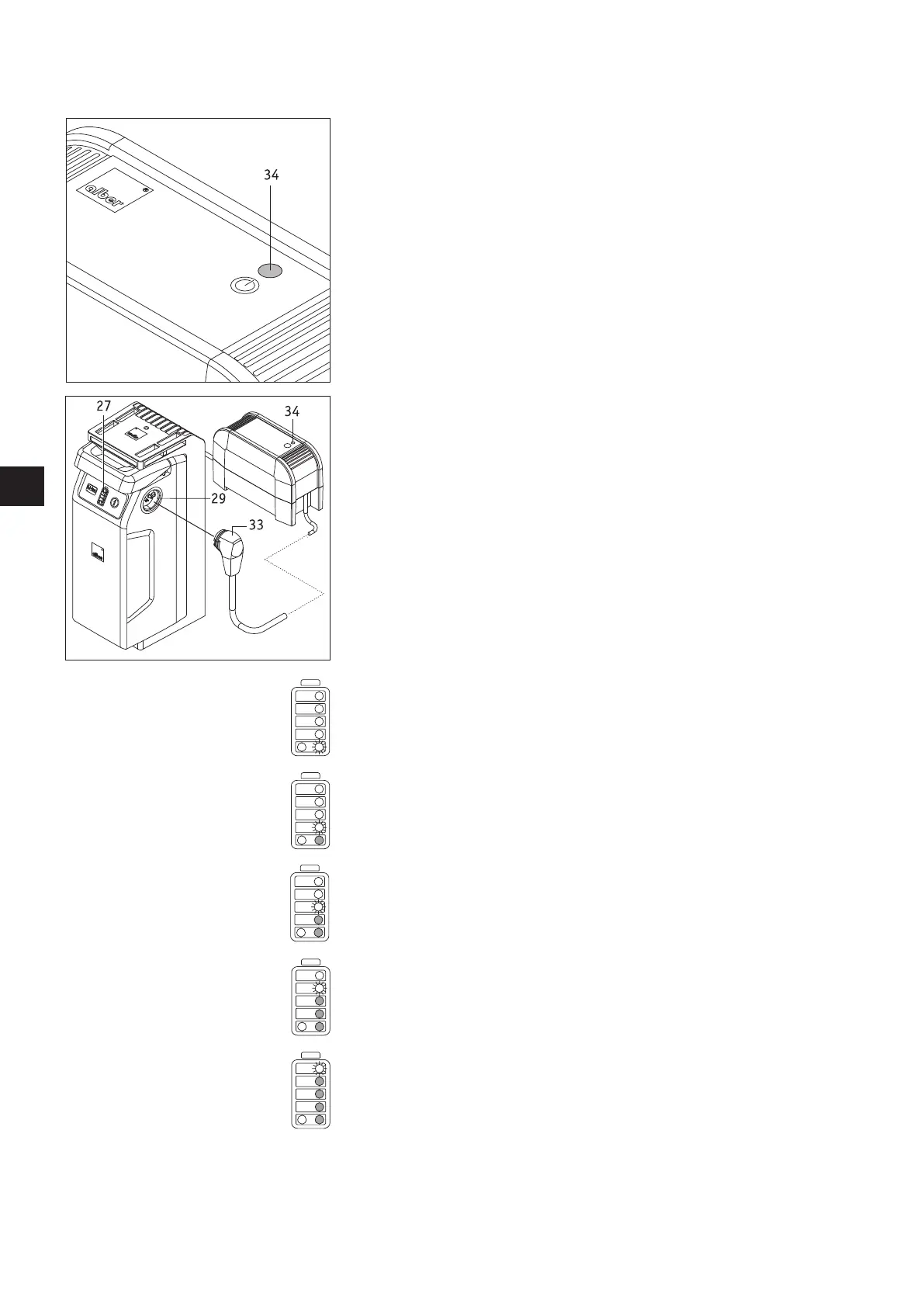
the LED display [34] lights up green.
• If the charger is disconnected from the mains, the LED display [34] goes out.
• The charging progress is shown in the LED displays on the battery pack (see following
chapter).
4.5 Charging the battery pack
The battery pack can remain on the wheelchair for charging, or be removed.
• Switch off the system at the control unit (see chapter 5.2.2).
• Secure the wheelchair against inadvertently rolling away using the parking brakes.
• Insert the plug of the charger [33] into one of the sockets [29] of the battery pack.
• Complete the charging process following the instructions contained in the operating
manual that is included with the charger.
• The capacity display [27] on the battery pack enables you to follow the charging pro-
gress. The following indications mean:
The lowest LED flashes – the battery is charged to less than 20%.
One LED flashes, 1 LED lights up – the battery pack is charged to between 20% and 40%.
One LED flashes, 2 LEDs light up – the battery pack is charged to between 40% and 60%.
One LED flashes, 3 LEDs light up – the battery pack is charged to between 60% and 80%.
One LED flashes, 4 LEDs light up – the battery pack is charged to between 80% and 100 %.
Continued on the next page



 To Next Page