26
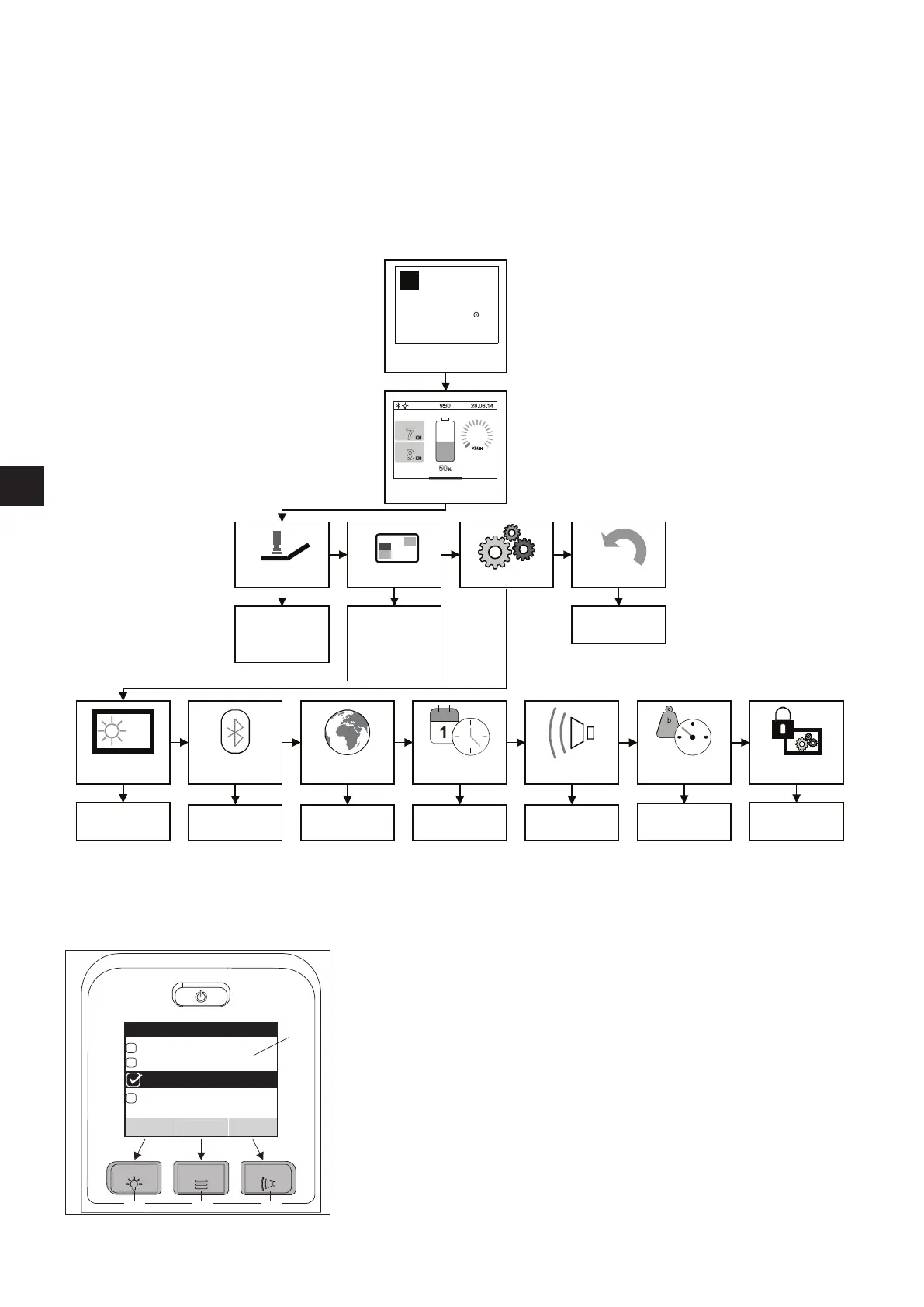
5.3 Control unit menus
The parameters of most of the functions stored in the control unit program can be customised by the wheelchair user. Other parameters,
including those that significantly influence the driving characteristics of the e-fix, can only be modified by your specialist dealer. Your spe-
cialist dealer would be happy to advise you of the available options.
5.3.1 Menu structure (overview) and associated buttons on the control unit
Alber
de / gb /fr
km/kg/C
mi/lb/F
Jan
kg
km
mi
e-fix
R
e-fix
alber
KM/H
0
7
KM
9
KM
9:30
28.06.14
50
%
5
,
Start screen
(optional)
DISTANCE
RANGE
SPORT
User screen
Travel mode
Display Setting
Tour
Eco
Sport
Custom
Daily kilometres
Range
Time
Date
Start screen
Bluetooth Lang.selection Date/time
Device name, e.g.
“e-fix - 1986
Date and time
setting
Signal tone Units Programming
On/off
Access for specialist
dealers only
KM counter
Reset
Daily kilometre
counter
RESET
Screen brightness
brighter – darker
The control unit buttons are assigned to the menus and sub menus as follows:
Save display
Saving or setting a parameter: Press button [15]
Select display
Jumps to a menu or sub menu or activates a parameter:
Press button [16].
Back display
Goes back one level (without saving): Press button [17].
1716
15
18
TOUR
ECO
CUSTOM
SPORT
Travel mode
Save BackSelect



 To Next Page