INSTALLATION
Installing the Camera
y
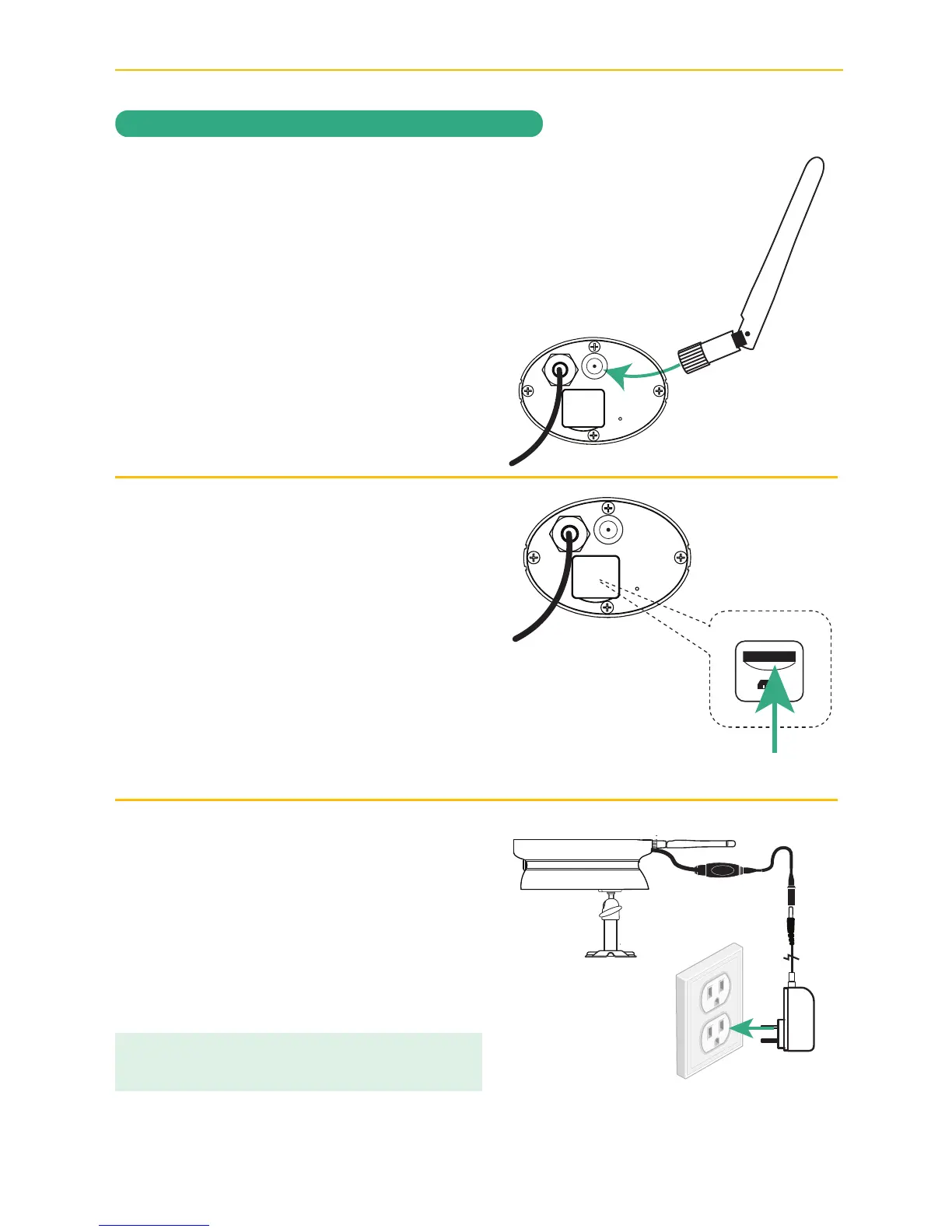
Screw Antenna clockwise into rear of
camera.
U
To record videos you must insert a
MicroSD card, not included. The MicroSD
Slot is located under the flap on the rear
of the camera.
A Class 10 microSD card is required.
This camera supports up to 128GB
microSD card.
V
Connect one end of an AC adapter to
the camera’s power pigtail and plug the
other end of the adapter to a 120 volt AC
(standard indoor) power outlet. The red
Link Status LED will light and after 30-60
seconds the green Power Status LED will
blink three times rapidly.
microSD Slot
TIP: A 6 foot power extension cable is included for
your camera setup if needed.



 To Next Page