Home
ALC
Security Camera
AWF61
Page 17
ALC AWF61 - Page 17
62 pages
Manual
Save Page as PDF
To Next Page
To Next Page
To Previous Page
To Previous Page
Loading...
— 15 —
— 14 —
Connecting
Via
the Apple App
w
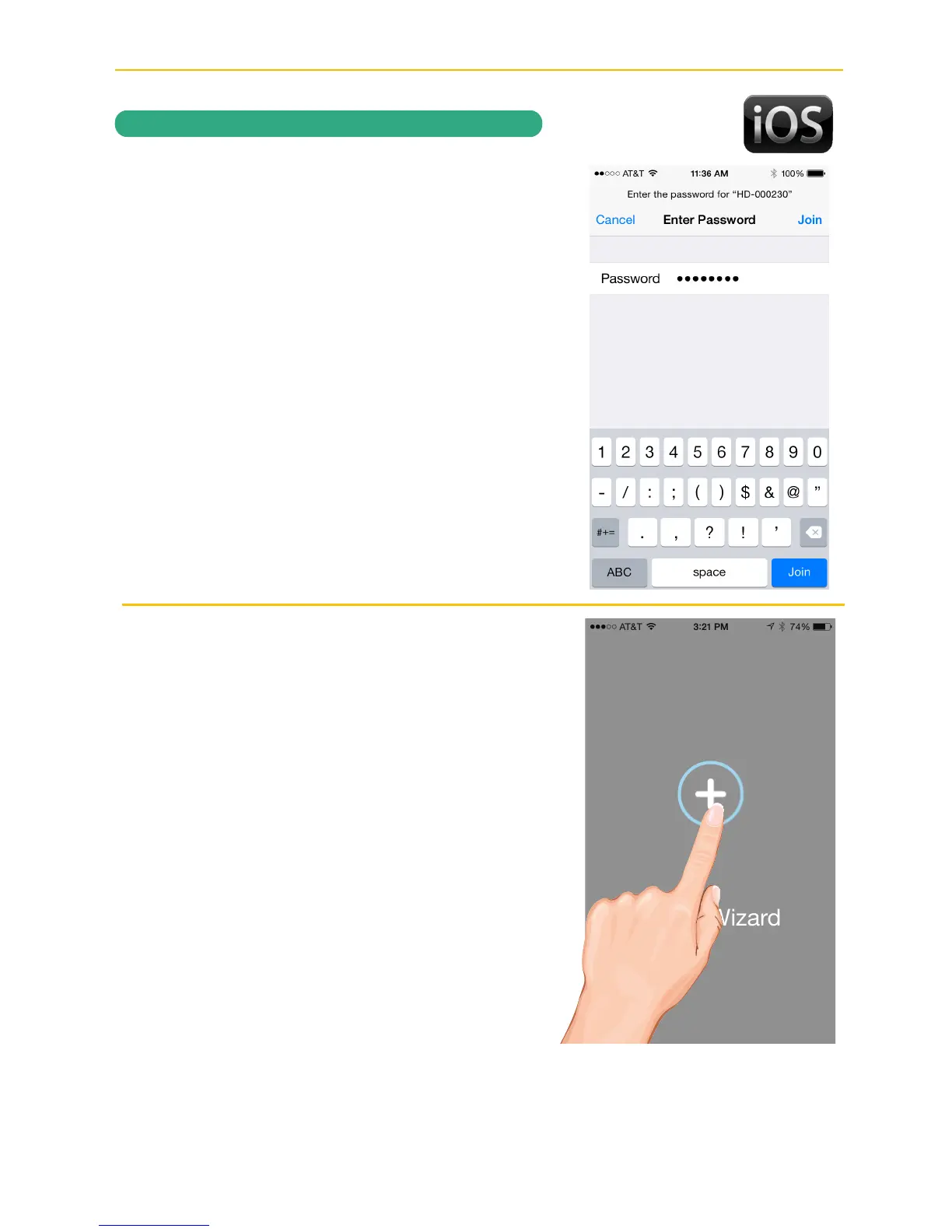
When asked for a password, enter,
“12345678”. Tap
Join
to connect.
x
Now Launch the ALC SightHD App and
the Setup Wizard screen will appear
indicating the setup instructions. Tap “
+
”
to start the Wizard.
REMO
TE A
CCESS
16
18
Table of Contents
Main Page
Default Chapter
3
Table of Contents
3
Important Safety Instructions
4
Introduction
7
System Contents
7
Getting to Know Your Camera
8
Cloud
8
Installation
9
Installation Tips
9
Night Vision
9
Installing the Camera
10
Remote Access
12
Overview
12
Requirements for Remote View
12
Connecting to the Internet
13
Connecting Via the Android App
14
Connecting Via the Apple App
16
Connecting Using Ethernet Cable
21
ALC Sighthd App Icons
27
To Take Snapshots
30
To View And/Or Take Videos
32
Motion Recordings
33
To Play Videos
34
To Delete Videos
37
Information Screen Options
39
Setting Screen
43
Advanced Settings
45
Cloud Account Setup
51
Maintenance
55
Troubleshooting
56
Factory Default/Reset
57
Upgrading the Firmware
57
Product Specifications
58
Warranty
59
Related product manuals
ALC AWF21
3 pages
ALC AWFB15
35 pages
ALC AWF51 SightHD
50 pages
ALC SIGHT HD AWF50
50 pages
ALC SightHD Lite AWF08
44 pages
ALC Observer AWSC336
11 pages
ALC Connect Plus
11 pages
ALC SightHD SensorCam
59 pages



 To Next Page