Connecting Via the Apple App
V
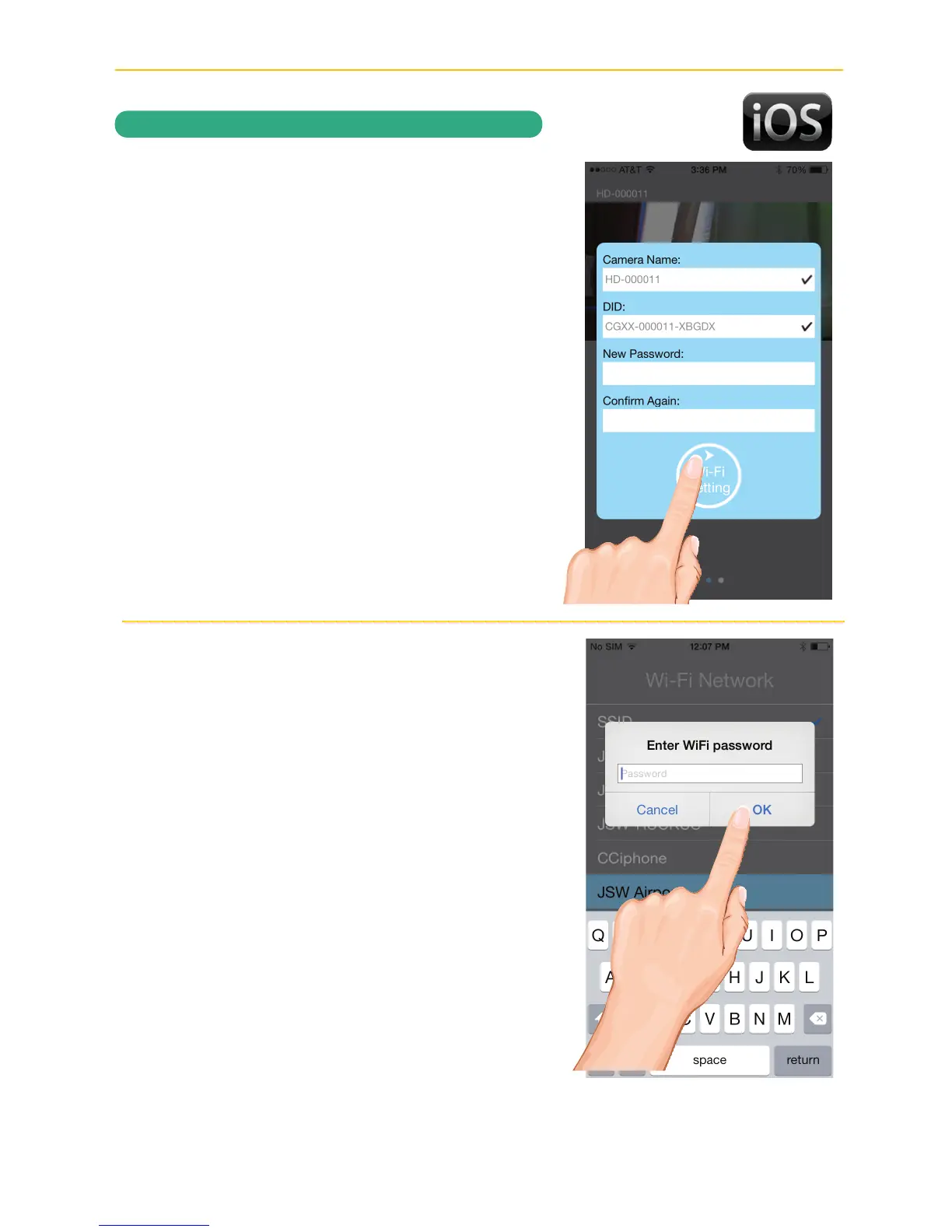
The Apple device will scan and detect
the camera. Once found, the screen will
show a Live View briefly before moving to
a set up screen.
You will then be requested to change
your password if this is the first time
accessing the camera. Enter a password
and remember it or write it down for
future use. Tap Wi-Fi Setting.
W
The Wi-Fi Network screen will appear.
Select your home network from the pull
down menu, and then enter your home
network’s Wireless Password.
Tap OK.
REMOTE ACCESS
*********



 To Next Page