Document 90-00073D Algo Communication Products Ltd (604) 454-3792
2016-09-29 4500 Beedie St Burnaby BC Canada V5J 5L2 support@algosolutions.com
Page 22 www.algosolutions.com
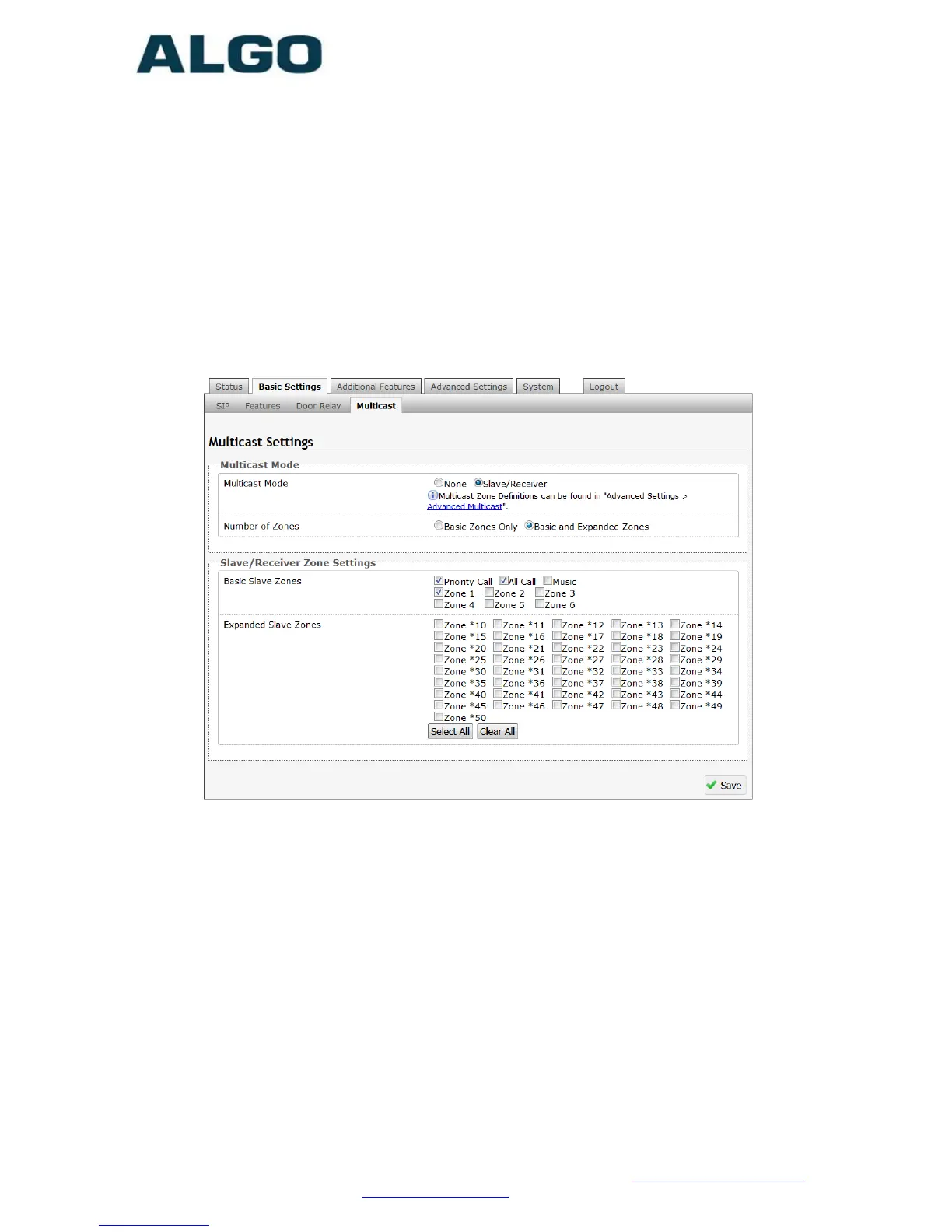
Basic Settings Tab – Multicast
The 8201 SIP PoE Intercom is able to act as a multicast slave,
allowing it to multicast messages from an Algo master device over
the speaker. Please note, the 8201 is not meant for paging in large
areas and we recommend using the 8186 SIP Horn Speaker for
outdoor paging or 8180 SIP Audio Alerter/8188 SIP Ceiling Speaker
for indoor paging.
Multicast Mode (Slave Selected)
If slave mode is enabled the 8201 intercom speaker will activate
when receiving a multicast message.
Number of Zones
Select “basic” zones if configuring nine or fewer multicast zones or
“expanded” to configure up to 50 zones. The expanded zones have
the same behaviour as the basic slave zones, but are hidden by
default to simplify the interface.



 To Next Page