Document 90-00073D Algo Communication Products Ltd (604) 454-3792
2016-09-29 4500 Beedie St Burnaby BC Canada V5J 5L2 support@algosolutions.com
Page 35 www.algosolutions.com
Advanced Settings Tab – Advanced
Multicast
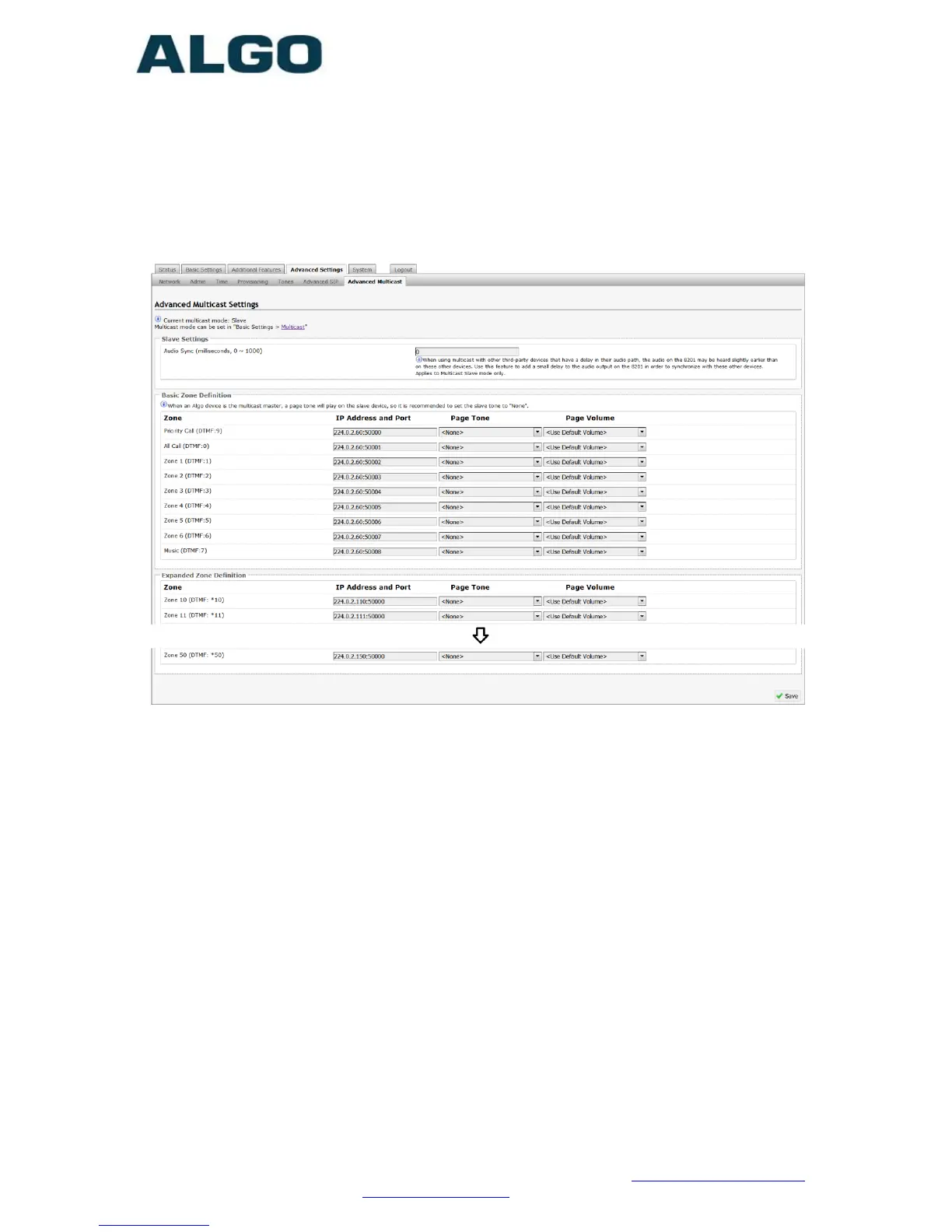
Audio Sync
When paging to the 8201 SIP PoE Intercom as well as other third
party devices, the low latency of the 8201 may cause the audio to
lead other devices. By adding audio delay up to one second, the 8201
may be synchronized with other endpoints or telephones that have
greater latency.
Zone Definition
The “Expanded” Slave zones can be enabled/disabled in Basic
Settings > Multicast. Default IP addresses and ports may be revised
for any given zone in the table.
Ensure that the Address and Port settings are the same for all master
and slave devices.



 To Next Page