37The full instruction manual can be found on the CD which accompanied the DVR.
How To - Connect Your DVR To A PC
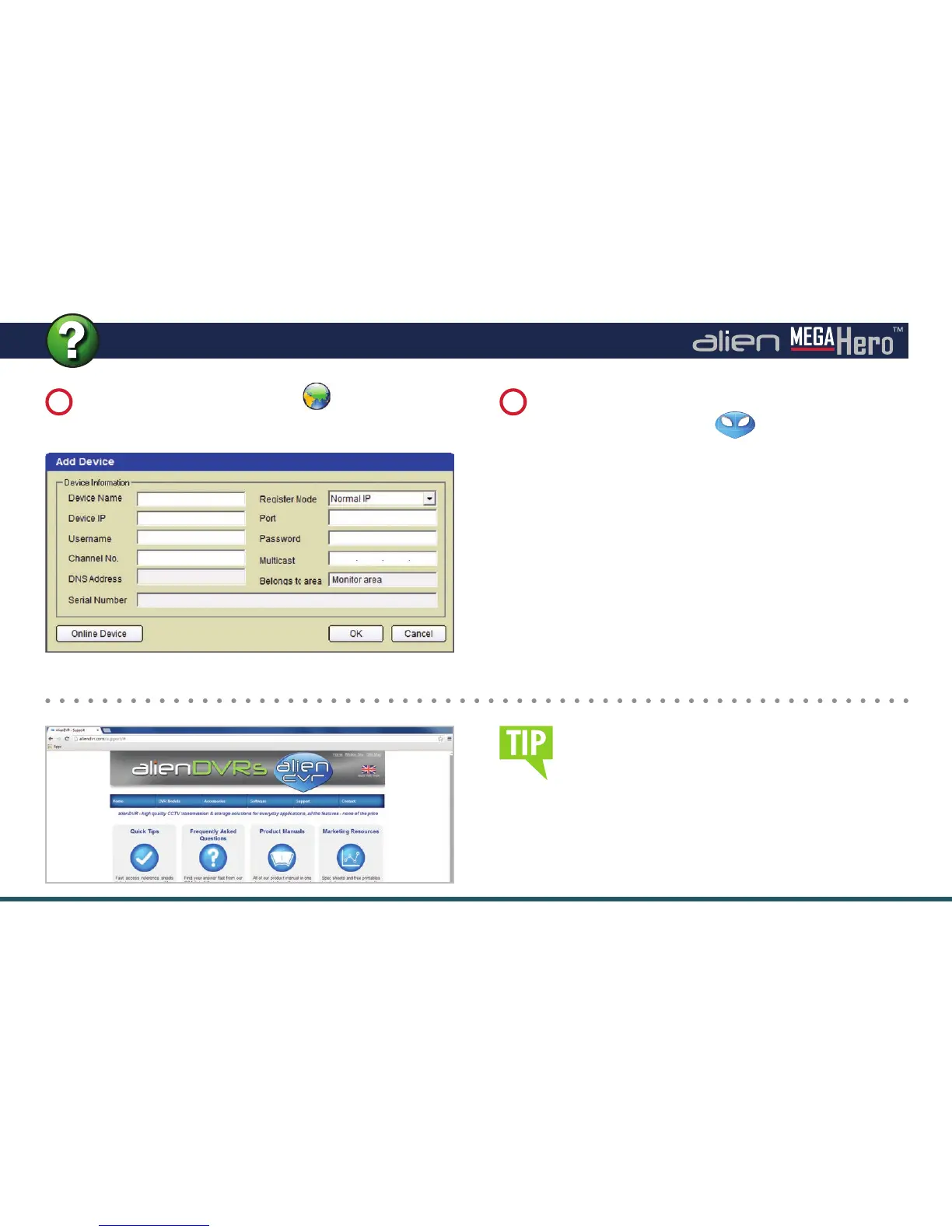
Fill in the details of the device you’re adding and click
‘OK’ to save. Your DVR icon
should appear
under the ‘UK’ Globe.
Device Name: (your choice)
Device IP: (found in network settings)
Port: (default 8240)
Username: (default ‘admin’)
Password: (default ‘555555’)
Channel No: (no of inputs of your DVR)
Right click on the ‘UK’ Globe icon in the left hand
window and select ‘Add Device’.
5
6
Adding A Device
Once connected, you can learn more about how
to use AlienVision at aliendvr.com. Look in our
support section for great tips on backing up
footage and setting up a basic emap in AlienVision.



 To Next Page