42 Get more from your alienDVR with our Free CCTV tips at aliendvr.com
How To - Back Up Recorded Footage
Method 2 - Via
The second method uses the AlienVision client software
which comes free with every alienDVR. This method allows
you to back up footage remotely from anywhere in the world.
Downloaded footage can be stored on a PC or backed up
onto a USB device or DVD.
There are various ways to back up footage using AlienVision.
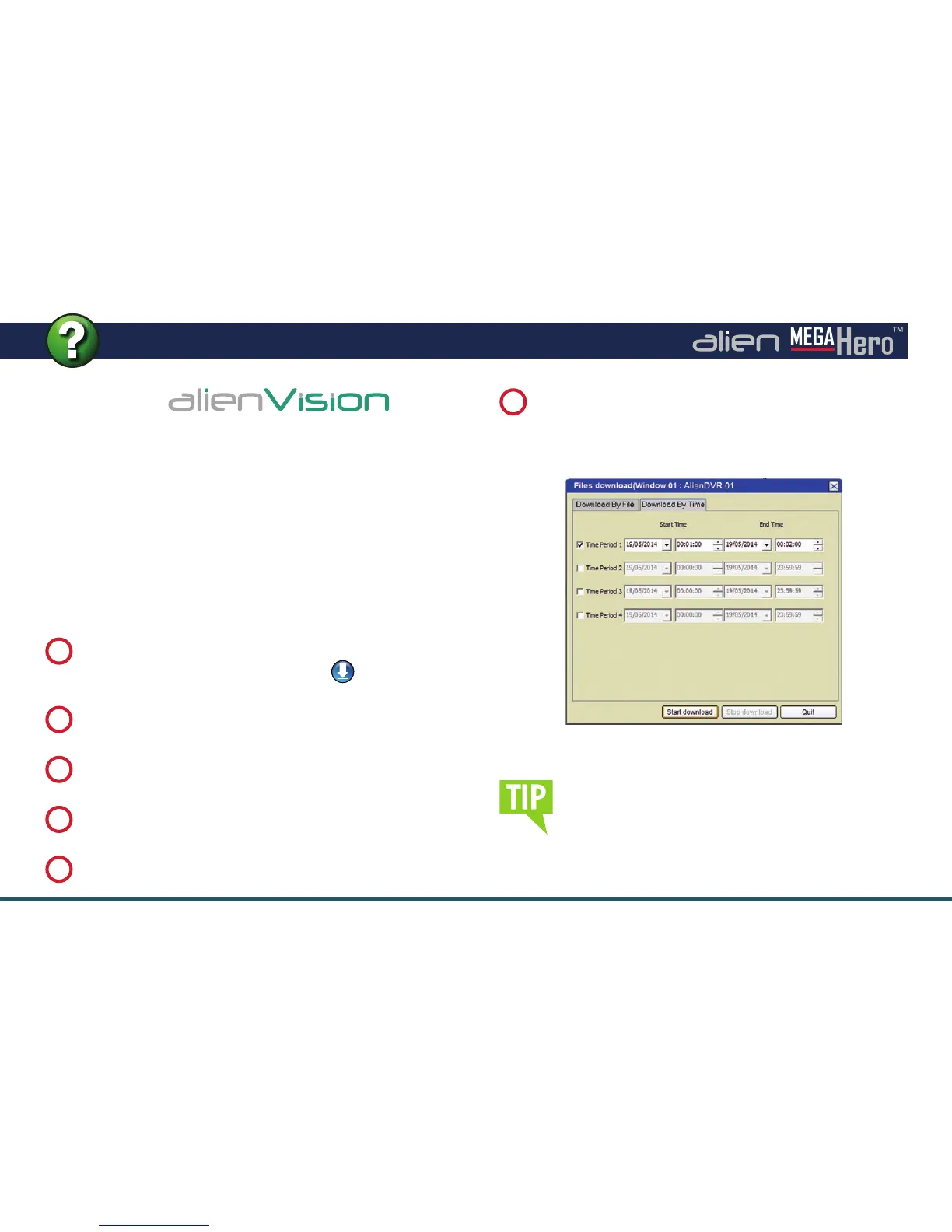
The fastest way is to ‘Download By Time’ just follow these
simple steps:
During playback, highlight the channel from which you
want to download footage and click the
button.
1
Click the ‘
Download By Time
’ tab.
2
Set the start date and time.
3
Set the end date and time.
4
Click ‘
Start Download
’.
5
When the download is complete. A message will pop-up in
the bottom right hand corner of the screen informing you
that the download had nished.
6
Download By Time Interface
By default the footage is downloaded to
C:ProgramData\AlienVision\Downloads. You can
also set your own download destination under ‘Path
Settings’. Just click the ‘Setup’ tab then the ‘Local
Settings’ tab.



 To Next Page