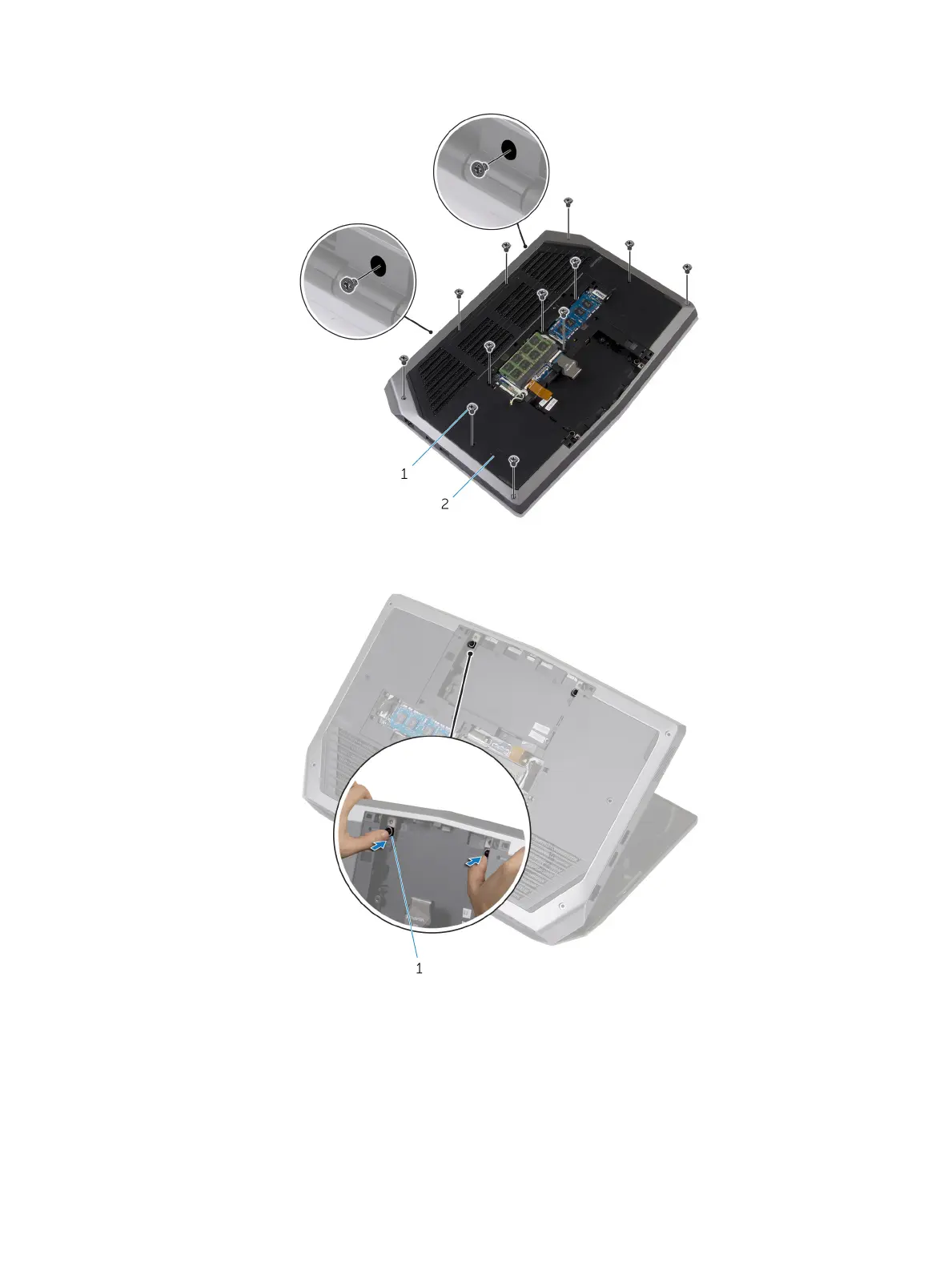
2 Remove the screws that secure the palm-rest assembly to the computer base.
1 screws (14) 2 computer base
3 Lift the computer base slightly and push the release tabs on the palm-rest assembly until it pops out.
1 release tabs
4 Turn the computer over and open the display as far as possible.
5 Using a plastic scribe, pry up along the edges of the palm-rest assembly.
24













 To Next Page