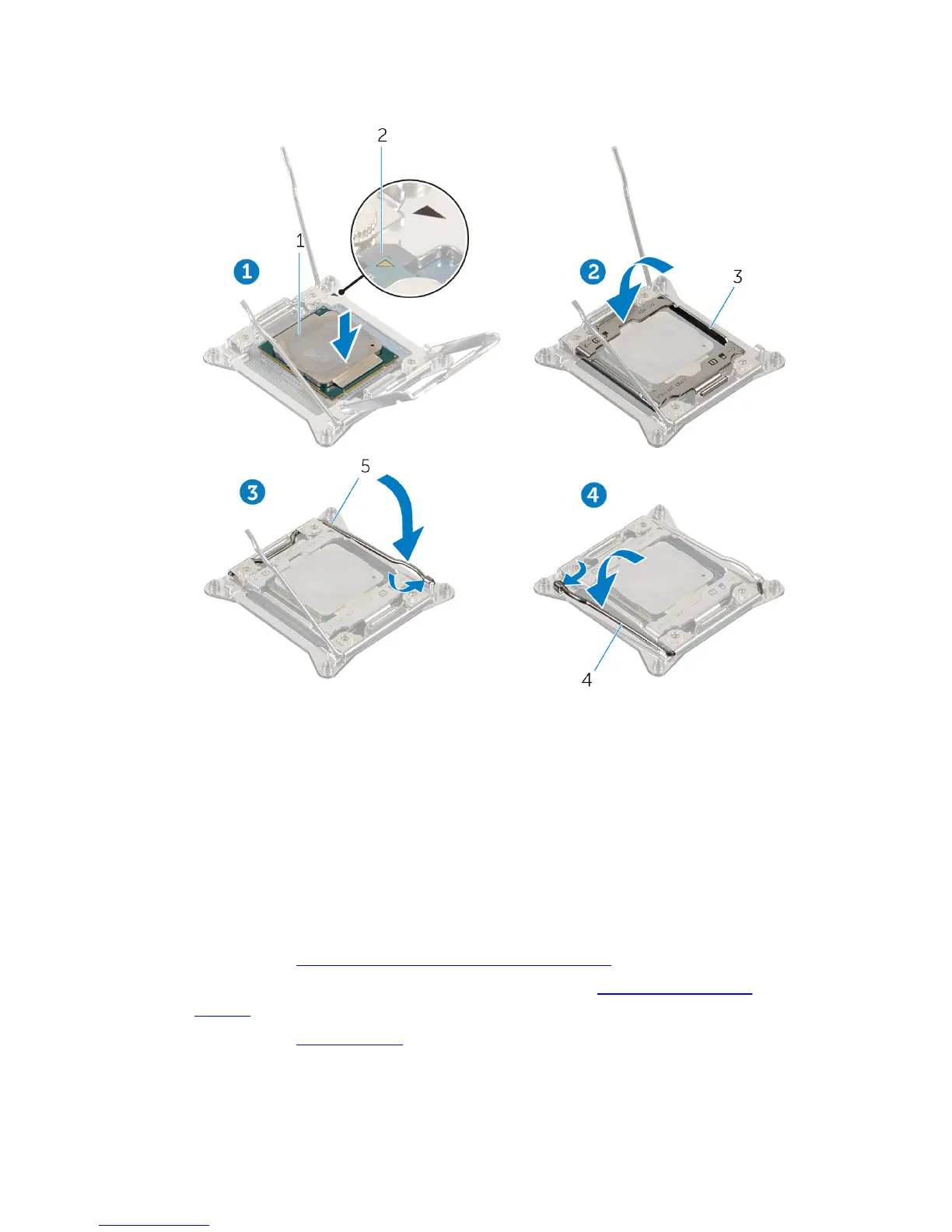
5 Press down and push the right-release lever. Place it under the tab on the
processor cover.
1 processor 2 processor pin-1 connector
3 processor cover 4 left release-lever
5 right release-lever
Post-requisites
1 Replace the processor liquid-cooling assembly fan.
2 Replace both the left and right side-panels. See “Replacing the Side
Panels”.
3 Replace the stability foot.
100















 To Next Page