Procedure
NOTE: Note the routing of all cables as you remove them so that you can
reroute them correctly after you replace the system board. For
information on system board connectors, see “
System-Board
Components”.
1 Lay the computer on the left side.
2 Disconnect all the cables connected to the system-board assembly.
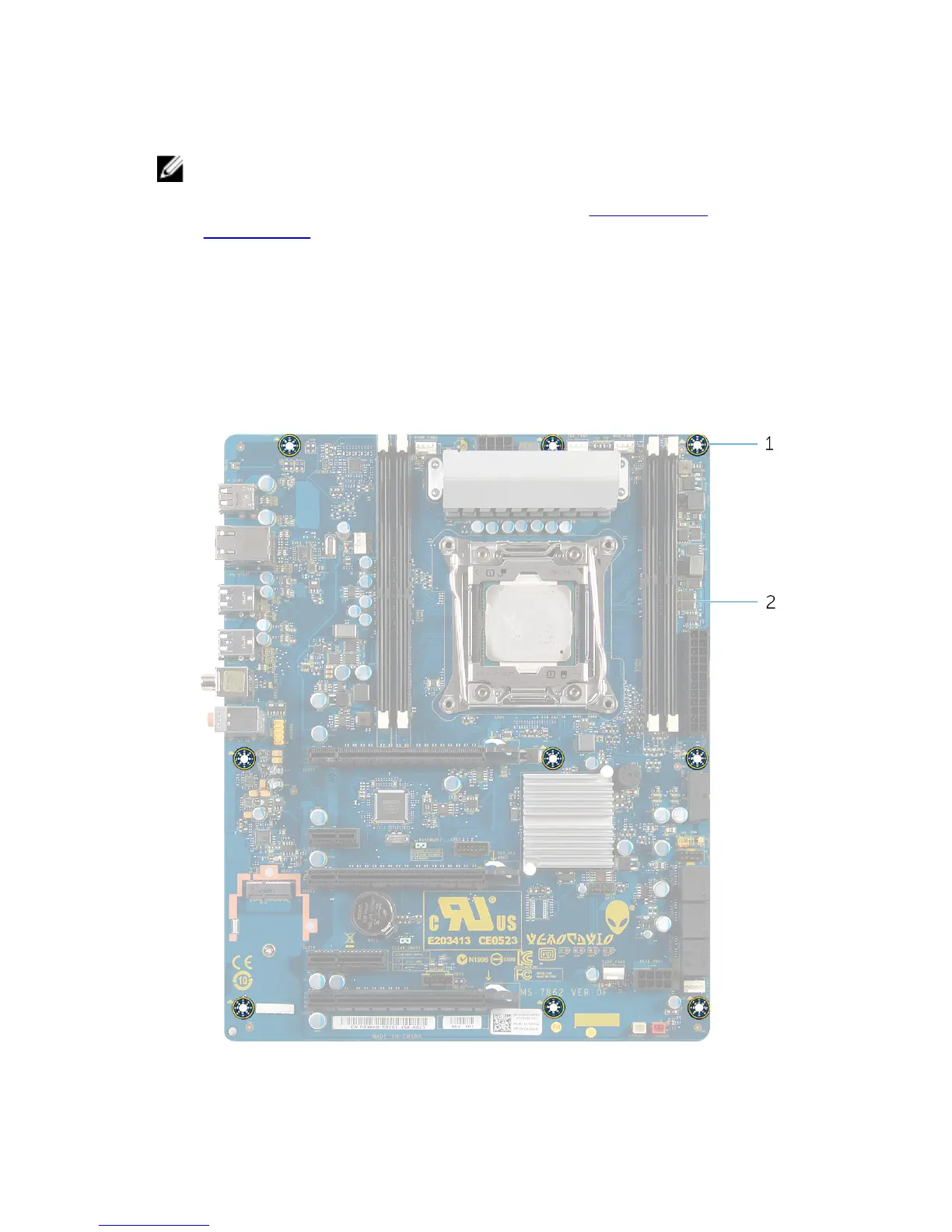
3 Remove the screws that secure the system-board assembly to the chassis.
4 Slide the system-board assembly towards the front of the chassis to
disengage it from the latches that secure it to the chassis.
5 Lift the system-board assembly out of the chassis.
1 screws (9) 2 system board
118















 To Next Page