Procedure
WARNING: The cables and ports on the back of the power
supply are color-coded to indicate the different power
wattage. Ensure that you plug in the cable to the correct
port. Failure to do so may result in damaging the power
supply and/or system components.
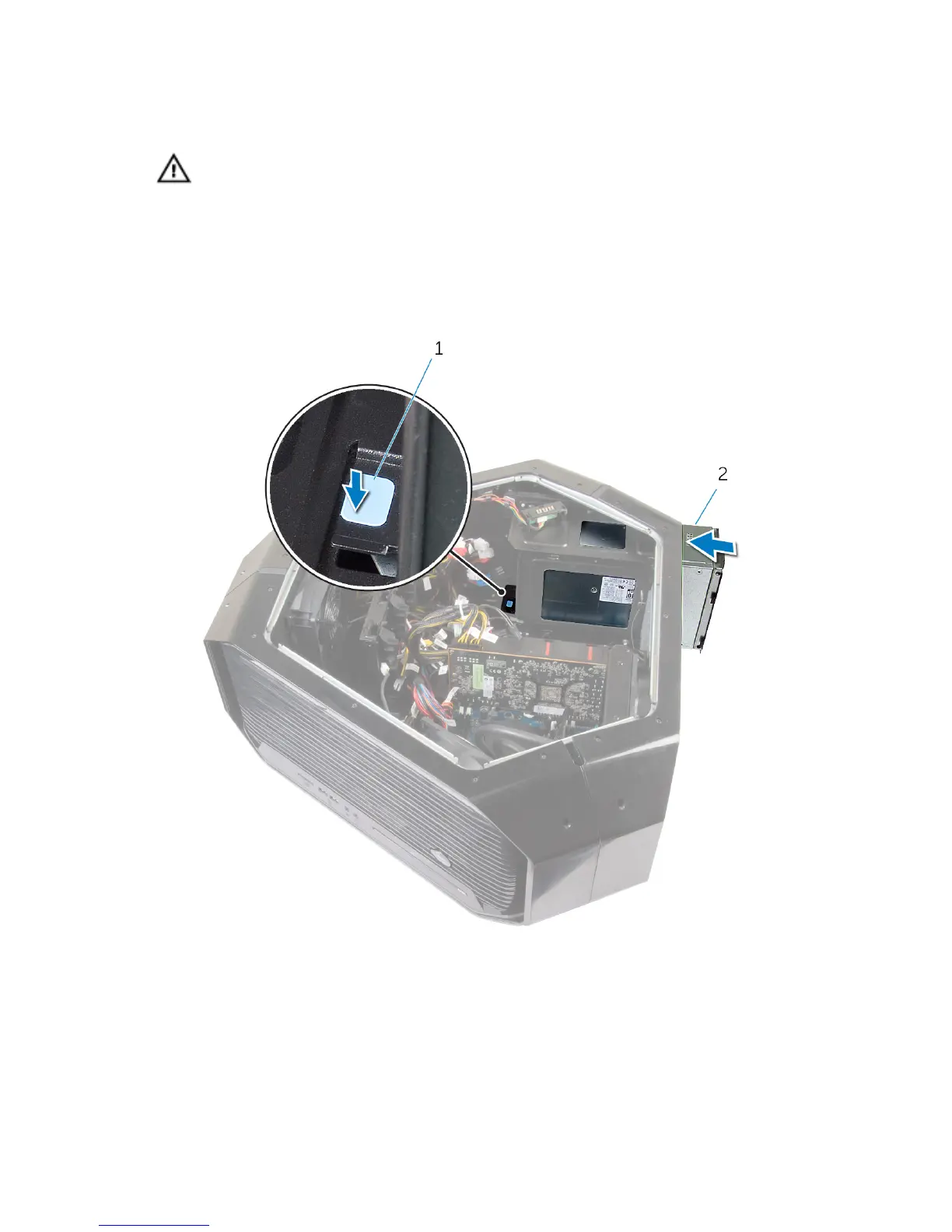
1 Press and hold the securing tab on the chassis and slide the power-supply
unit into the chassis until it snaps into position.
1 securing tab 2 power supply unit
2 Align the notch on the power-supply cover with the tab on the chassis.
3 Slide the power-supply cover towards the tabs until it locks in place.
4 Replace the screws that secure the power-supply unit to the bezel.
5 Connect the power cable to the power-supply unit.
105















 To Next Page