Table 1. Screw list (continued)
Component Screw type Quantity Screw image
Solid-state drive (M.2 slot one) M2x3 1
Solid-state drive (M.2 slot two) M2x3 1
Wireless card M2x3 1
System board #6-32x1/4" 9
Front I/O bracket #6-32x1/4" 1
Liquid-cooling assembly fan #6-32x1/4" 4
Antenna
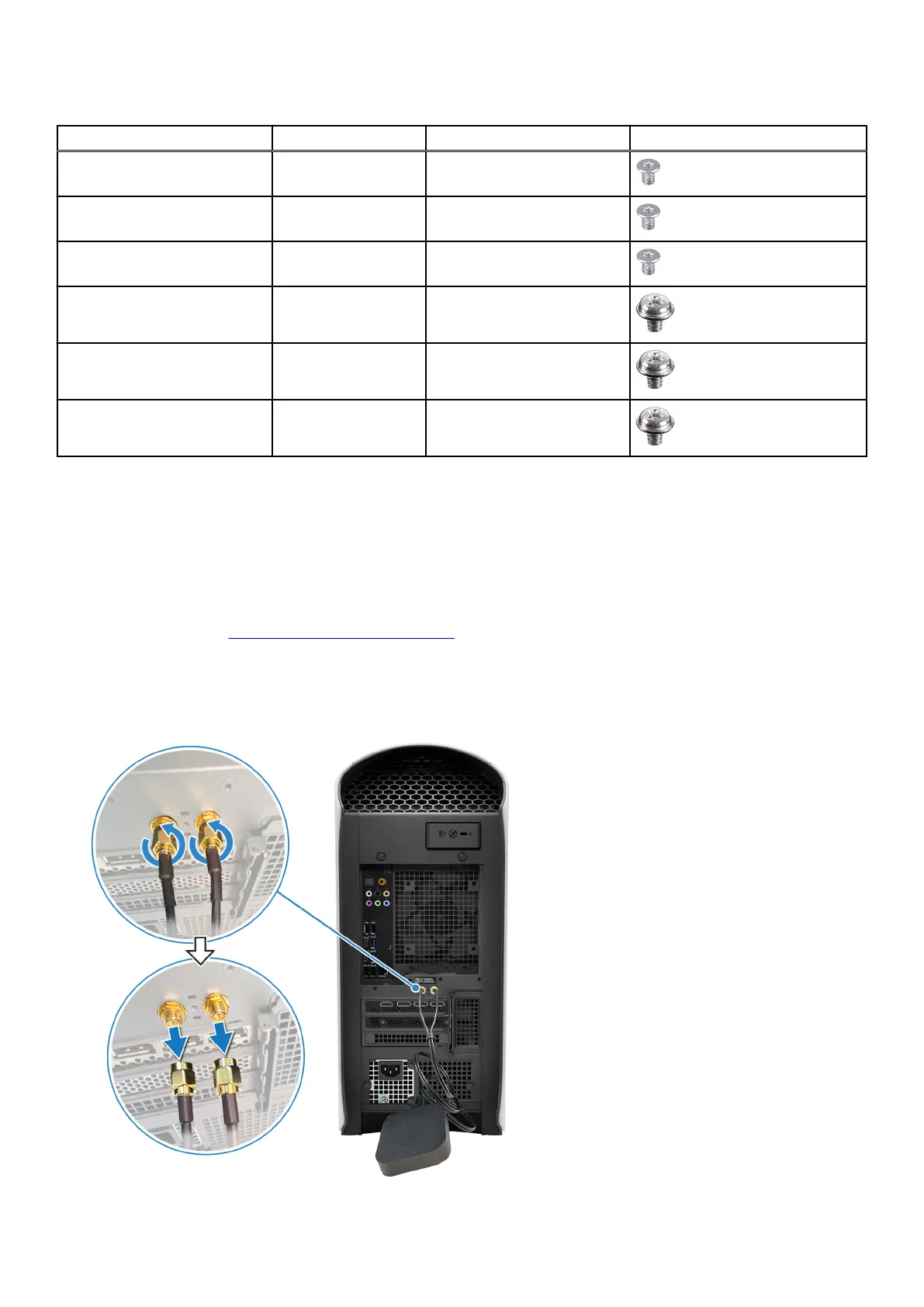
Removing the antenna
Prerequisites
1. Follow the procedure in Before working inside your computer.
About this task
This computer is shipped with an external puck antenna. Connect the external antenna during setup, to connect to WiFi and
Bluetooth and improve the memory performance. To connect the antenna cables, follow the below procedure:
14















 To Next Page