SMA cable
Removing the SMA cable
Prerequisites
1. Follow the procedure in
Before working inside your computer.
2. Remove the left-side cover.
3. Remove the single-graphics card.
4. Remove the wireless card.
About this task
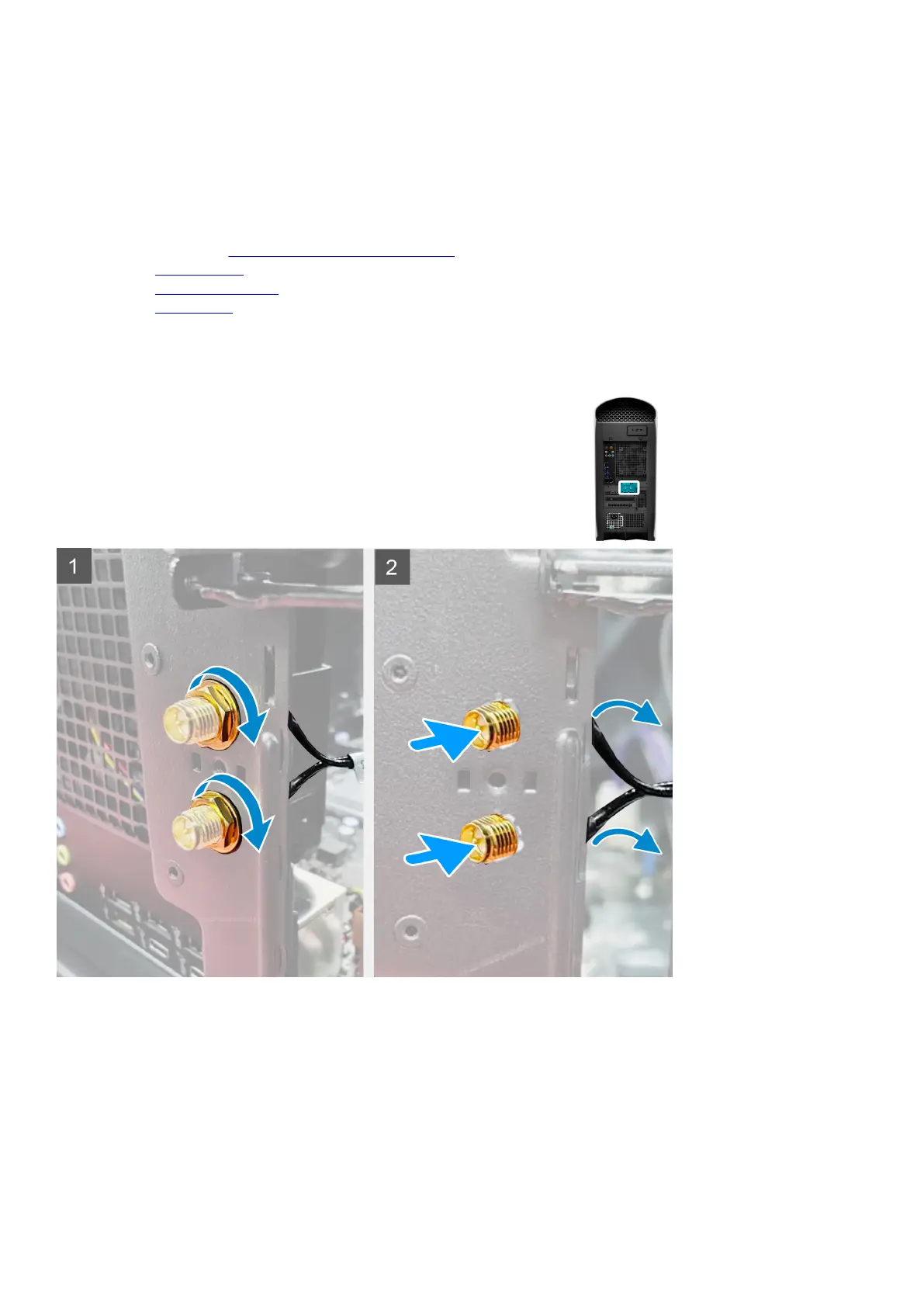
The following images indicate the location of an SMA cable and provide a visual representation of the removal procedure.
67















 To Next Page