Installing the system board
Prerequisites
If you are replacing a component, remove the existing component before performing the installation procedure.
About this task
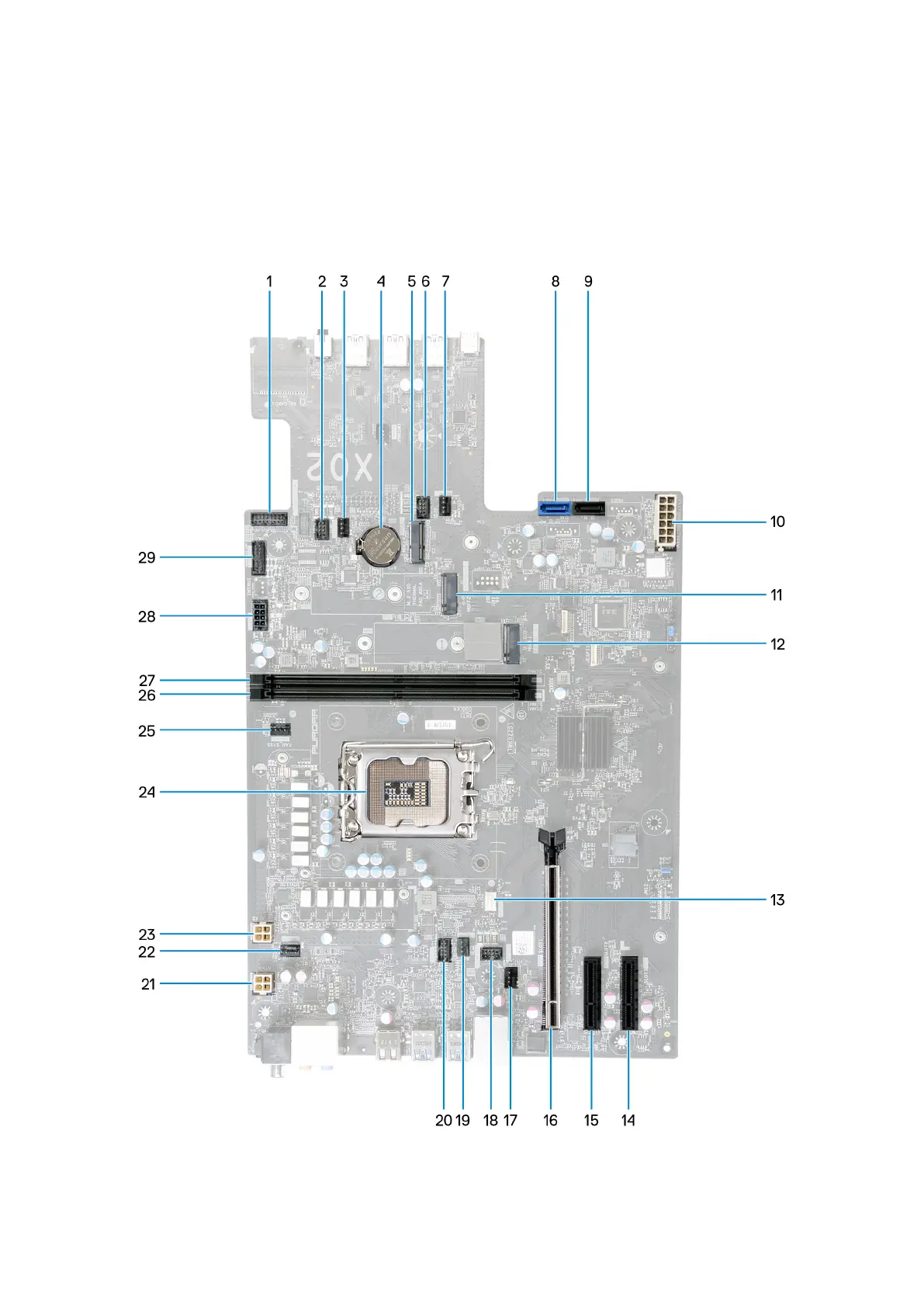
The following image indicates the connectors on your system board.
1. Front I/O-panel cable 2. SYSFAN_LED3 connector
3. Upper front-chassis connector (FAN_SYS3) 4. Coin-cell battery
86















 To Next Page