Steps
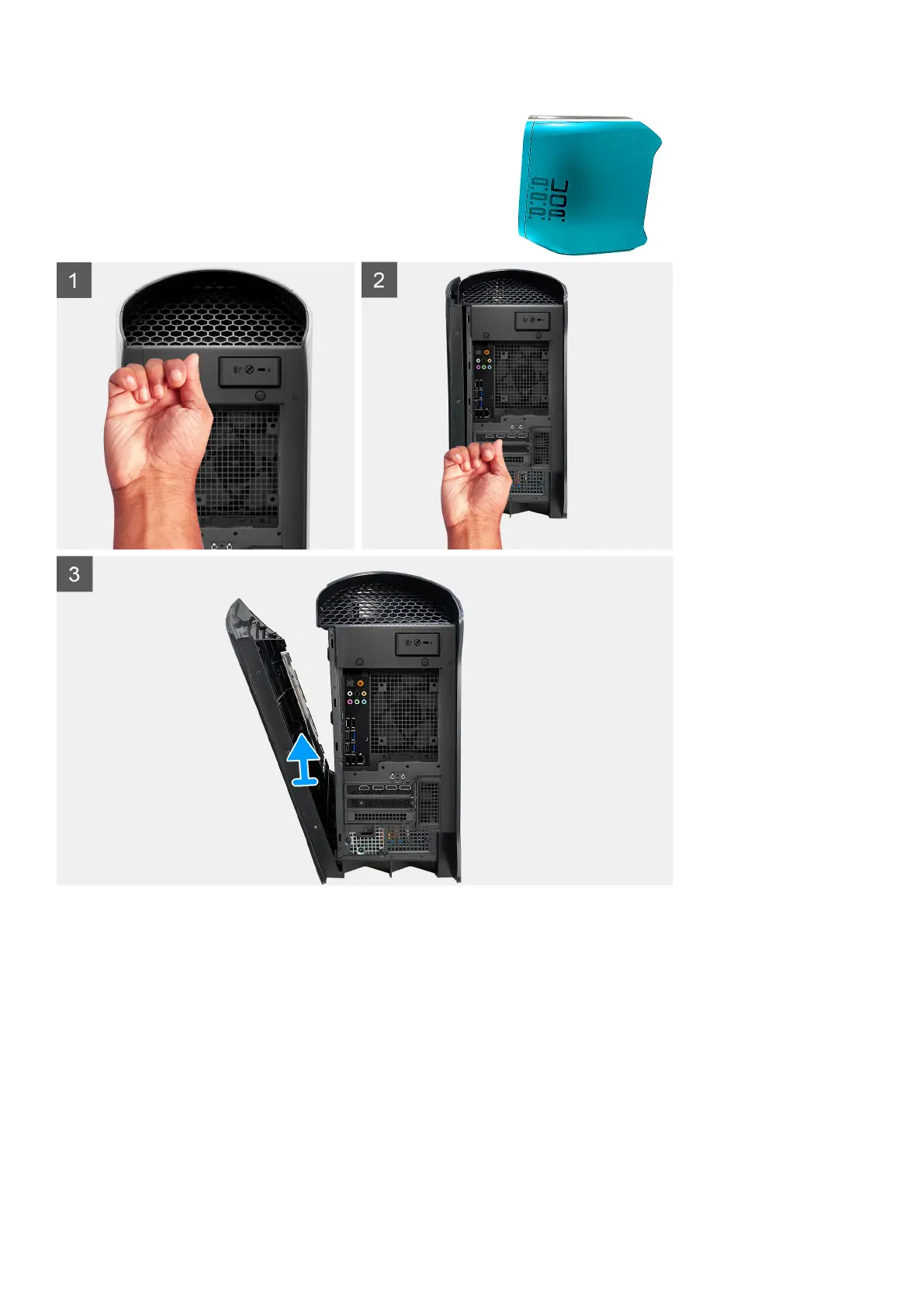
1. Knock the top rear tab of the right-side cover until the top of right-side cover is detached from the chassis.
2. Knock the bottom rear tab of the right-side cover until the bottom of the right-side cover is detached from the chassis.
3. Remove the right-side cover from the chassis.
Installing the right-side cover
Prerequisites
If you are replacing a component, remove the existing component before performing the installation procedure.
22















 To Next Page