Removing and installing components
NOTE: The images in this document may differ from your computer depending on the configuration you ordered.
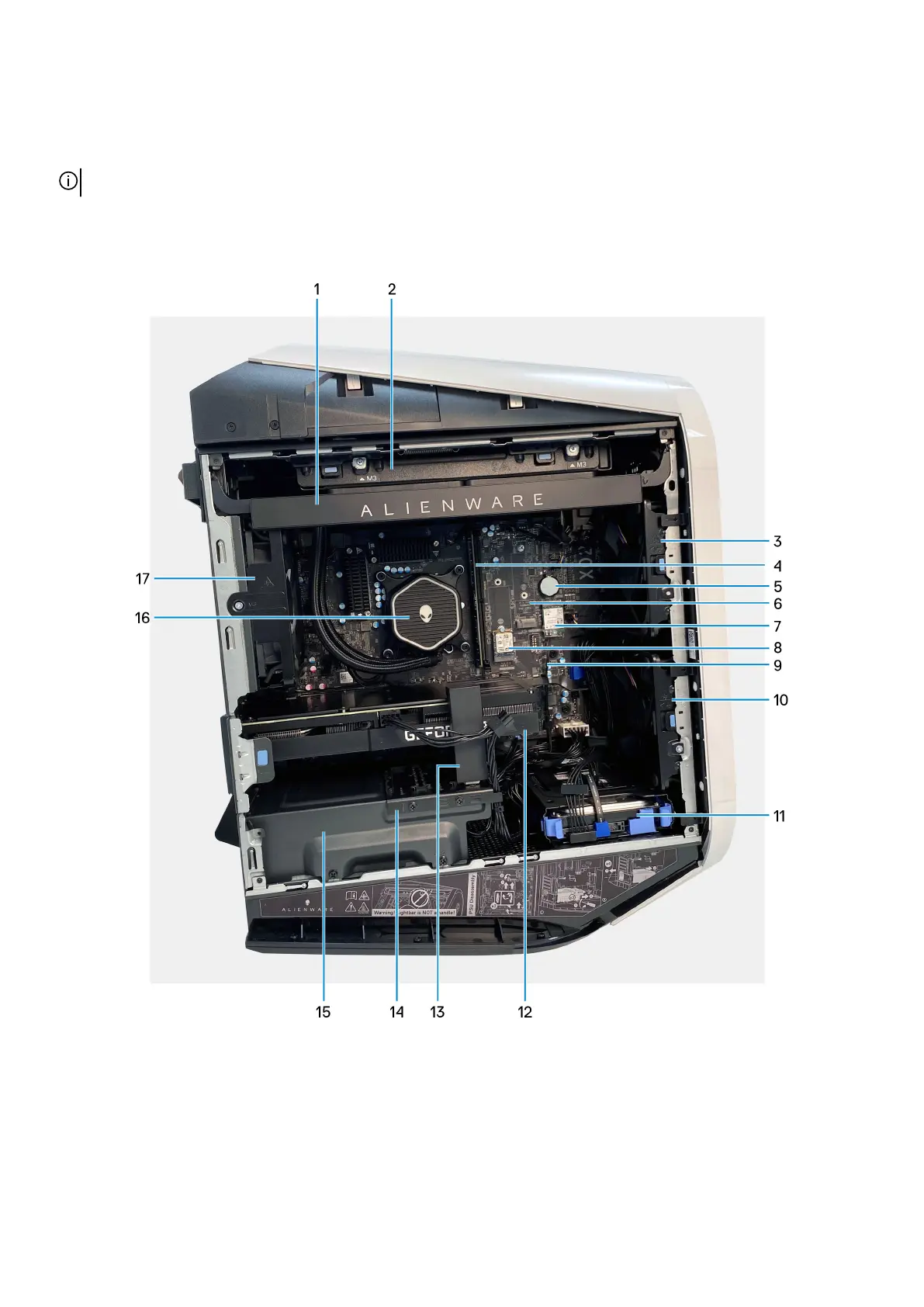
Inside view of your computer
1. Side light (optional) 2. Liquid-cooling fan assembly (optional)
3. Upper front-chassis fan 4. Memory modules
5. Coin-cell battery 6. Solid-state drive slot 1
7. Wireless card 8. Solid-state drive slot 2
9. SMA cable 10. Lower front-chassis fan
11. 3.5-inch hard drive 12. Graphics card
13. Graphics-card bracket (optional) 14. Power-supply unit bracket
10















 To Next Page