About this task
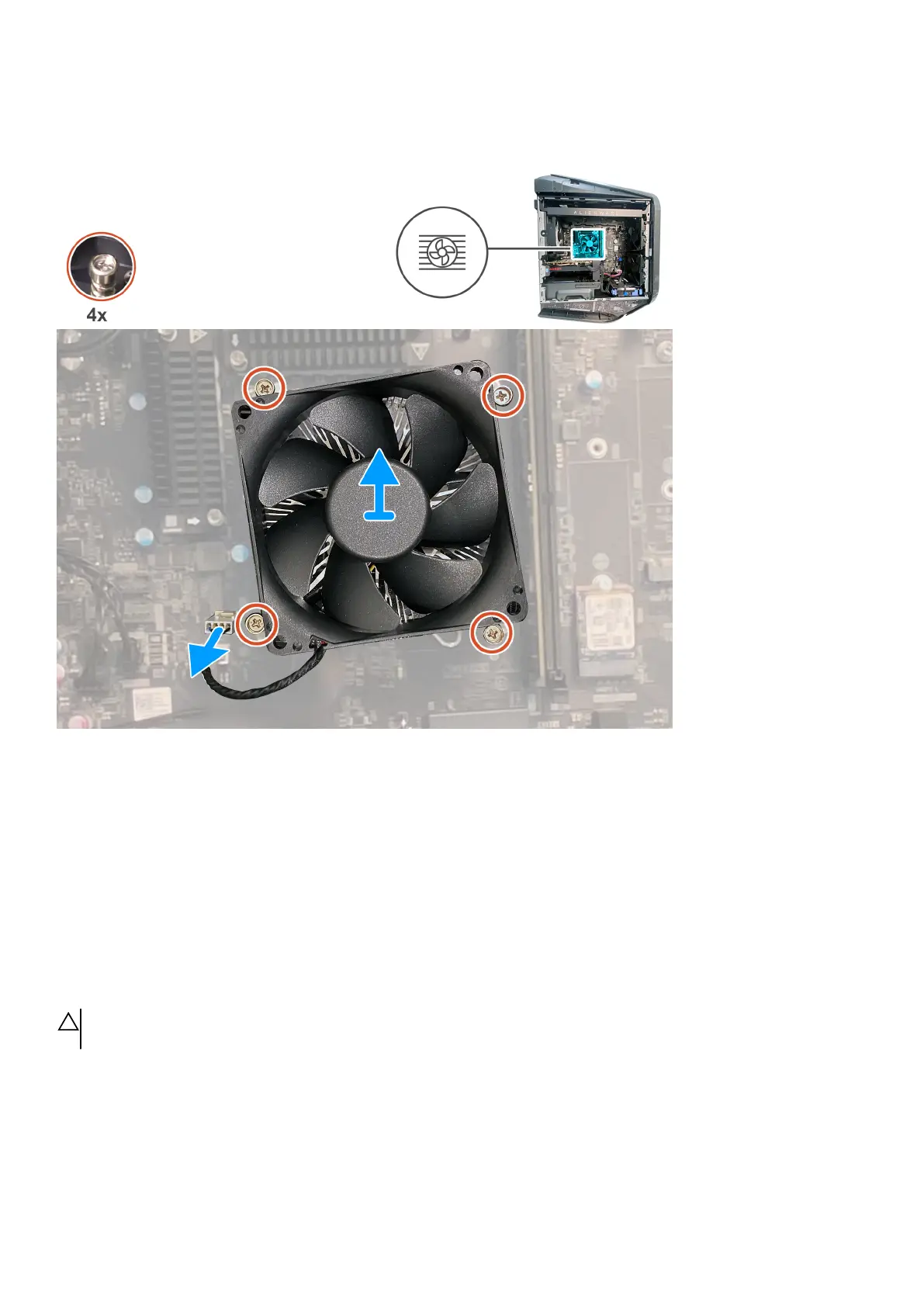
The following images indicate the location of the processor fan and heat-sink assembly and provide a visual representation of the
removal procedure.
Steps
1. Lay the computer on the right side.
2. Disconnect the processor-fan cable from the system board.
3. In the reverse sequential order, loosen the four captive screws that secure the processor fan and heat-sink assembly to the system
board.
4. Lift the processor fan and heat-sink assembly off the system board.
Installing the processor fan and heat-sink assembly
Prerequisites
If you are replacing a component, remove the existing component before performing the installation procedure.
CAUTION: If either the processor or the heat sink is replaced, use the thermal grease that is provided in the kit to ensure
that thermal conductivity is achieved.
About this task
The following images indicate the location of the processor fan and heat-sink assembly and provide a visual representation of the
installation procedure.
55















 To Next Page