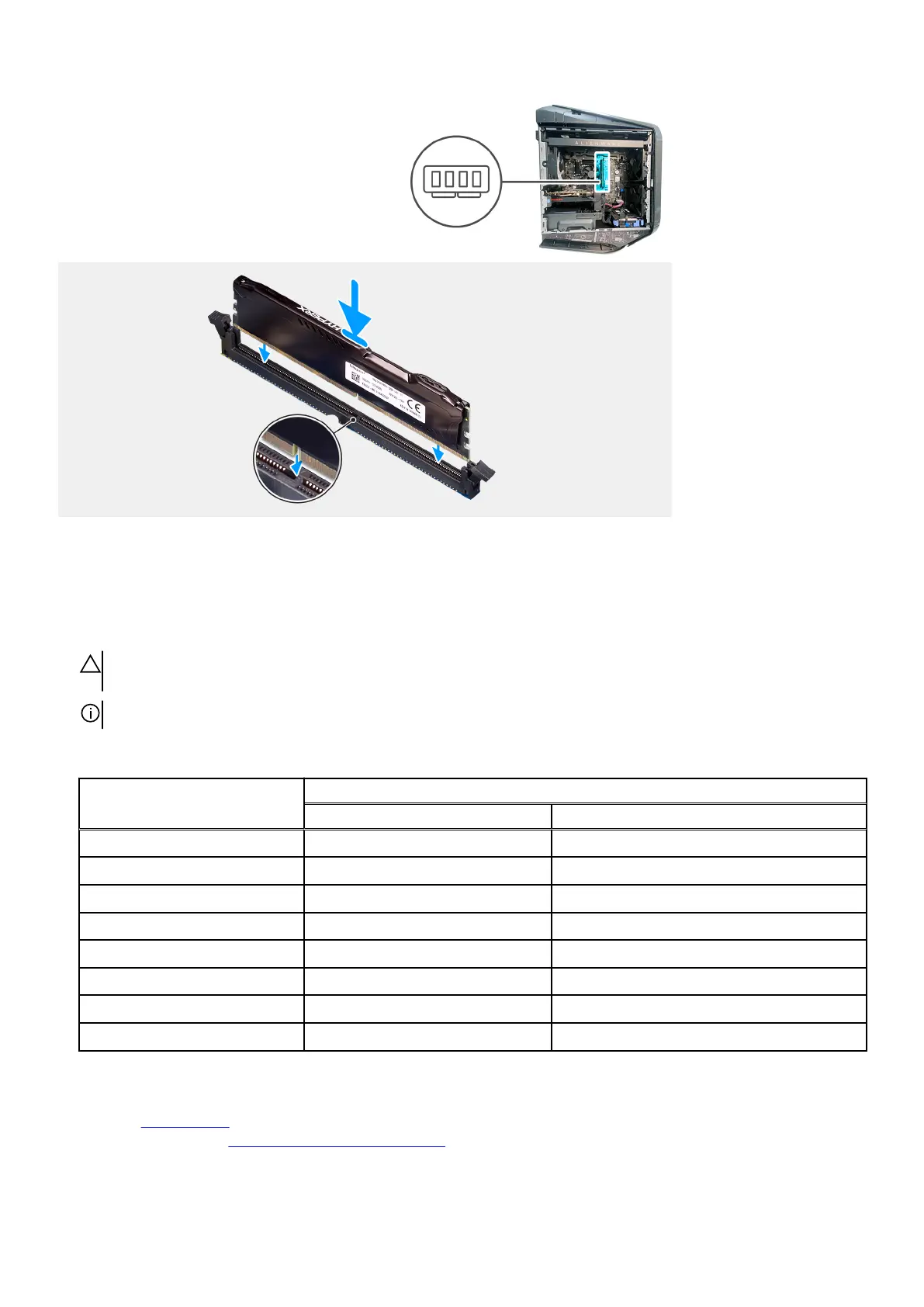
Steps
1. Ensure that the securing clips are extended away from the memory-module slot.
2. Align the notch on the memory module with the tab on the memory-module slot.
3. Insert the memory module into the memory-module slot and press the memory module down until it snaps into position and the
securing clips lock in place.
CAUTION: To prevent damage to the memory module, hold the memory module by the edges. Do not touch the
components on the memory module.
NOTE: Repeat step 1 to step 3 to replace any other memory modules installed in your computer.
Table 2. Memory configuration matrix
Configuration
Slot
DIMM1 DIMM2
8 GB DDR5 8 GB
16 GB DDR5 8 GB 8 GB
16 GB DDR5 16 GB
32 GB DDR5 16 GB 16 GB
64 GB DDR5 32 GB 32 GB
16 GB XMP 16 GB
32 GB XMP 16 GB 16 GB
64 GB XMP 32 GB 32 GB
Next steps
1. Install the left-side cover.
2. Follow the procedure in After working inside your computer.
42















 To Next Page