EasyManua.ls Logo

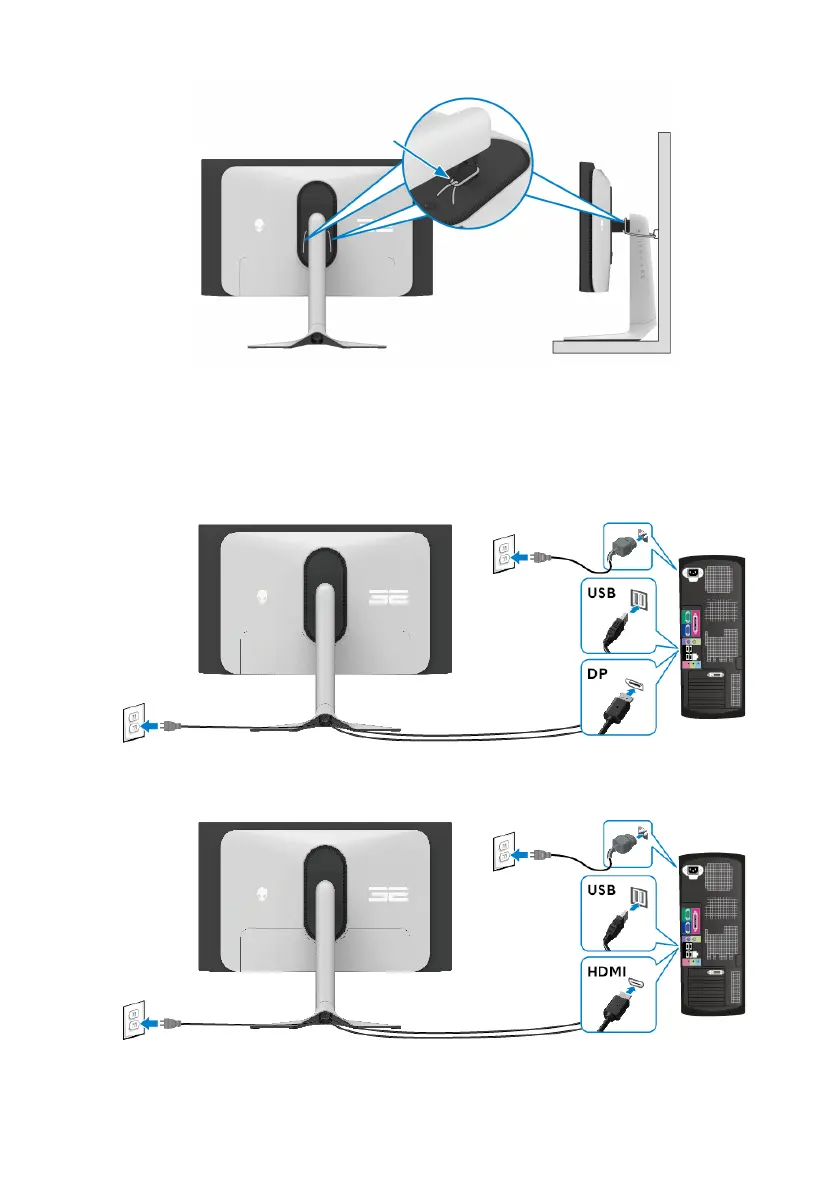
Alienware AW3225QF - Connecting the Displayport (DP to DP) Cable; Connecting the HDMI Cable

Alienware AW3225QF
102 pages
Print Icon
To Next Page IconTo Next Page
To Previous Page IconTo Previous Page
Loading...
Cable tie or Cord
Setting up the monitor | 39
5. Tur
n on the monitor and the computer.
If your monitor displays an image, installation is complete. If it does not
di
splay an image, see Common problems.
Connecting the DisplayPort (DP to DP) cable
Connecting the HDMI cable


Table of Contents

Related product manuals