9
Operations when turning on the power while pressing the
following respective keys
NO. KEY FUNCTION
4
FUNC
Resets the system. Performs a System reset.
5
V/M
Switches to Channel display mode from VFO/
memory modes. Repeat to resume the previous
mode.
Turn on the power while pressing
FUNC
and
CALL
simultaneously
to perform a full-reset. It resumes the default system settings
and erases all memory data. The deleted memory data can’t be
recalled.
3
Getting Acquainted
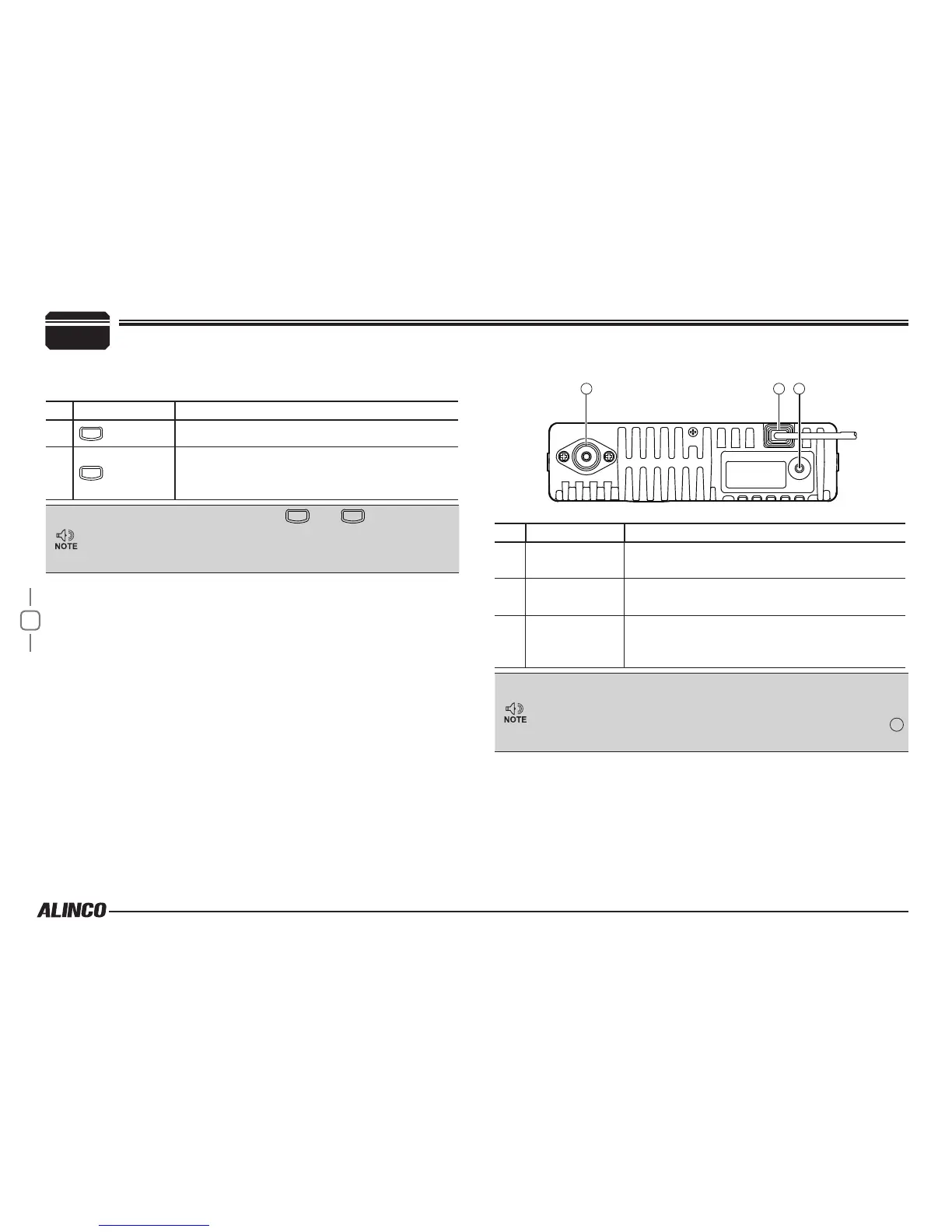
Rear panel
21
3
NO. KEY FUNCTION
1
Antenna
Connector
Connect an antenna.
2
DC power cable
Connect 13.8 V DC power.
20A or more current capacity is required.
3
DATA terminal/
Ext.Speaker
Terminal
Use for the clone function and to connect an
optional external speaker.
About PC programming
PC programming utility software is downloadable from www.
alinco.com site. An optional ERW-7 PC cable is required.


 To Next Page