22
7
PARAMETER SETTING MODE
The following is the Selectable Parameters’ Menu.
IMPORTANT
Please read the following pages thoroughly prior to the
change of any parameters.
THE PARAMETERS CANNOT BE SET WITHOUT
ENTERING THE SET MODE.
By entering the Parameter Setting mode, some of the radio’s operating
parameters can be changed to suit your application.
To use the Parameter Setting mode
1.
Press
FUNC
key for more than 2 seconds to enter the Parameter
Setting mode.
Rotate the dial or [UP]/[DOWN] keys to select menu.
2.
Press the dial to display “set” on the left corner of LCD.
Turn the
dial to select the desired value, then press it again to select another
menu.
3.
Press any key OTHER than
FUNC
key,
dial
to exit the Parameter
mode. The only exception is the Channel Tag setting which accepts
only [PTT],
FUNC
, and
TS/DCS
keys to exit.
Some menus appear only in certain modes or preprogramming
may be required.
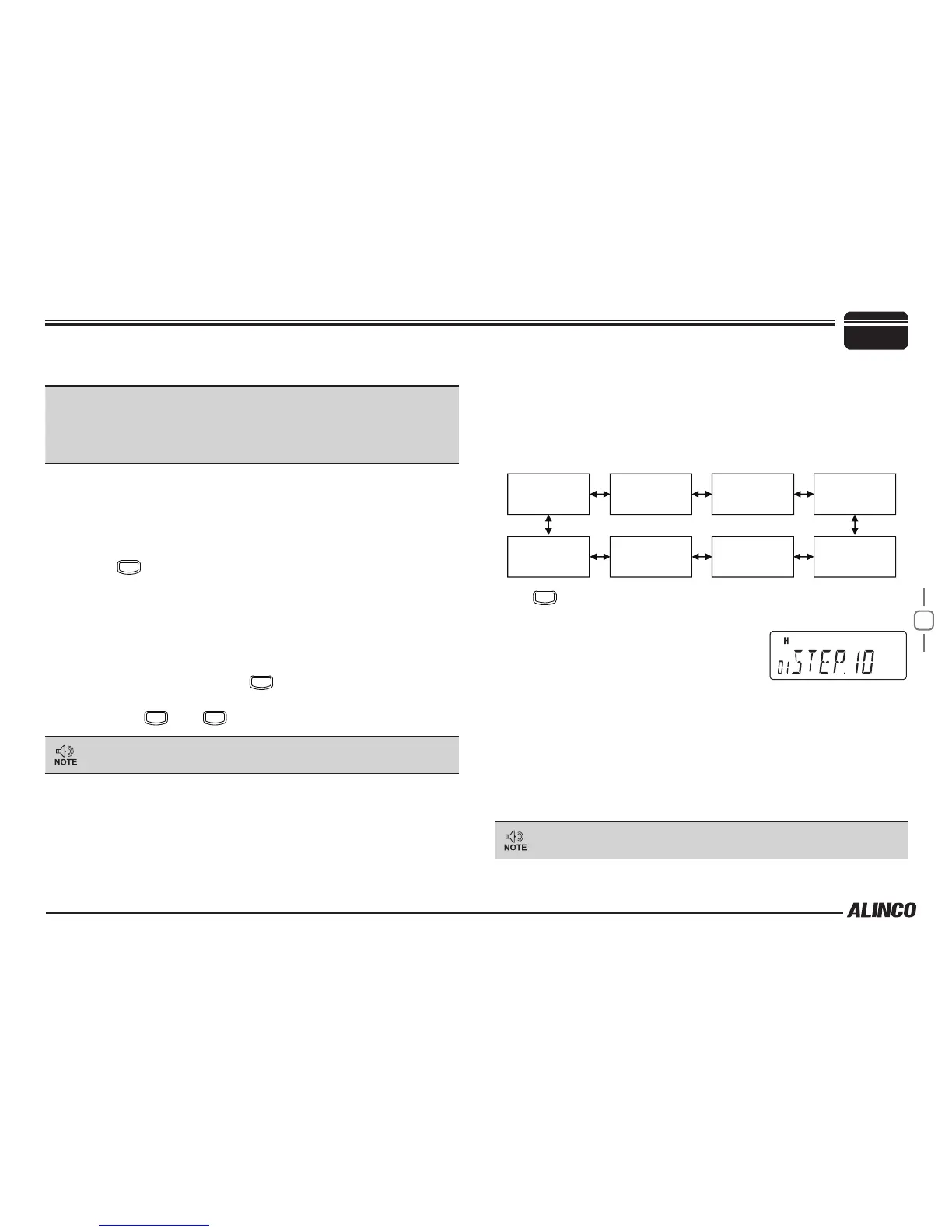
Channel Step setting
* This menu appears only in VFO mode.
This is to select the channel step to be used in the VFO mode.
Refer to the chart below for the relation of the actual step frequency and
how it is displayed.
12.5
(12.5kHz)
5
(5kHz)
6.25
(6.25kHz)
10
(10kHz)
15
(15kHz)
20
(20kHz)
30
(30kHz)
50
(50kHz)
Press
FUNC
key until entering the Parameter setting mode.
1.
Rotate the dial or press the [UP]/
[DOWN] keys on the microphone to
display the menu number "01".
The current setting will appear on the
display.
The default setting is “5 KHz ” for DR-B185HT, "12.5 KHz" for HE
models.
2.
Press dial to display SET, then rotate dial or press the [UP]/[DOWN]
keys on the microphone to change the setting.
3.
Press the dial to set the new value and continue, or press [PTT] to
set the new value and exit from the parameter setting mode.
Be sure to set the KHz order of the frequency at even-number
such as .000, prior to change this parameter in VFO mode.


 To Next Page